4
2. Operating DSO203 Oscilloscope
Interfaces and Buttons.
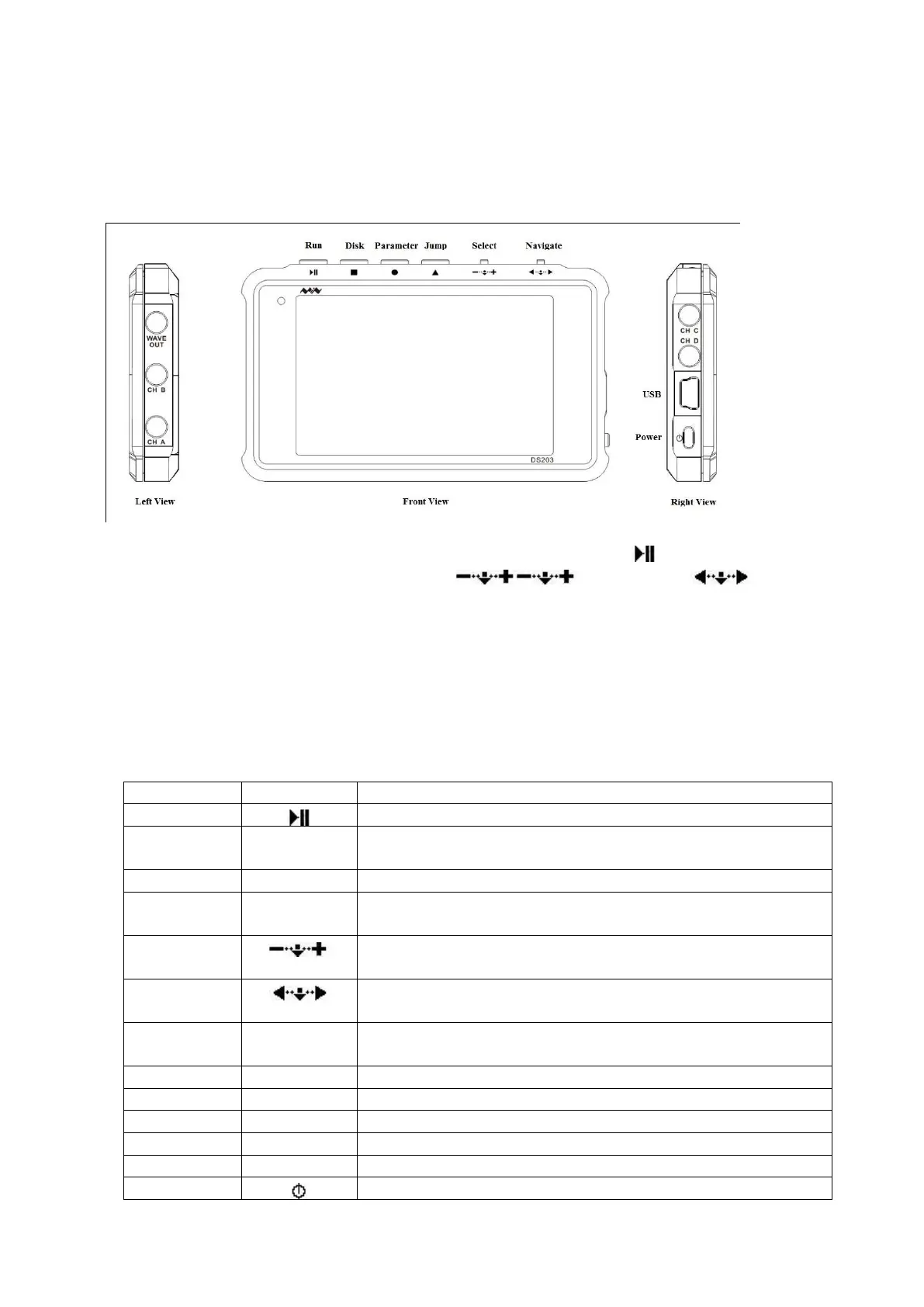
DSO203 is a pocket size Digital Storage Oscilloscope, measured about 4”x2-1/2”x1/2”. Its front
view and side views are shown in the following figure:
On the top edge, there are four buttons, as seen from left to right: Run
, Disk ■, Parameter ●,
Jump ▲; and then two rocker switches: Select , and Navigate ).
On the left side, there are three sockets. From top to bottom, they are Wave Output (WAVE OUT),
Analog Channel B Input (CH_B), and Analog Channel A Input (CH_A).
On the right side, from top to bottom, there are two sockets for Digital Channel C Input (CH_C),
Digital Channel D Input (CH_D), a Mini USB port, and a Power Switch.
Functions of these buttons, switches and sockets are summarized in the following table:
Button to run and stop DSO sampling
Button to save traces to built-in USB disk or restore traces
from disk
Button to display selected parameters
Button to jump among Input, Output, and Measurement
Areas
Rocker switch to scroll left or right to select a parameter.
Press down to confirm selection.
Rocker switch to scroll left or right to navigate to a selected
field. Press down to confirm selection.
Socket for output waveforms
Socket for analog input channel A
Socket for analog input channel B
Socket for digital input channel C
Socket for digital input channel D
Mini USB socket to connect to a PC
Side switch to turn power on and off


 To Next Page