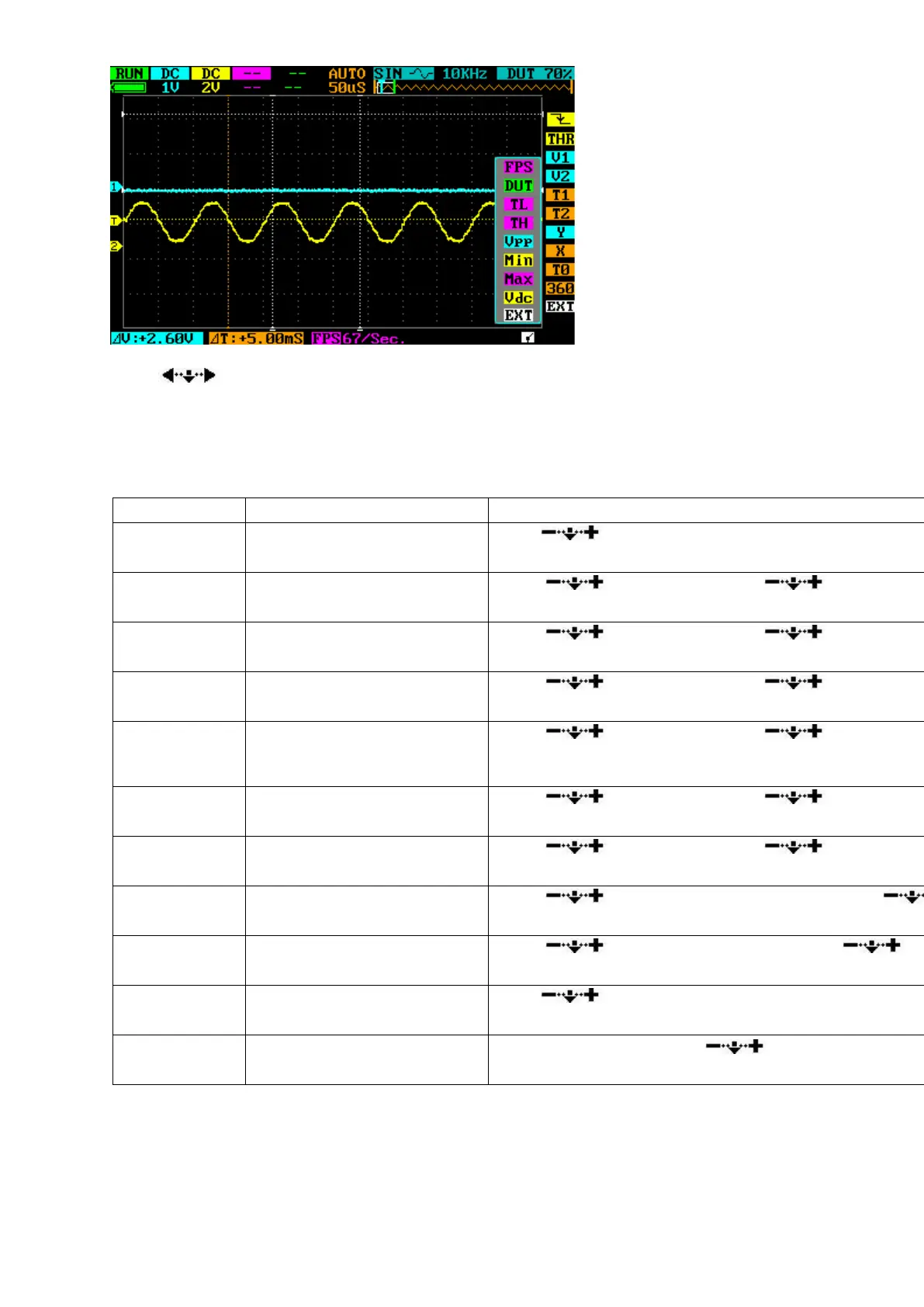
9
Press or choose EXT to exit.
Disk Menu
Press ■ button to access the Disk Menu. Press it again to exit. Detailed functions are listed below:
Save current parameter
settings
Save dat file to USB disk
Scroll to choose file. Press to confirm.
Save buf file (sample data in
buffering area) to USB disk
Scroll to choose file. Press to confirm.
Save bmp file (waveform
image) to USB disk.
Scroll to choose file. Press to confirm.
Save csv file (export sampling
data of buffering area) to
USB disk
Scroll to choose file. Press to confirm.
Scroll to choose file. Press to confirm.
Scroll to choose file. Press to confirm.
Adjust backlight brightness
Scroll to adjust backlight brightness. Press
confirm.
Scroll to adjust buzzer volume. Press to
confirm.
Calibrate DSO203 (make sure
CH_A is grounded)
Press ■ to calibrate. Press to confirm


 To Next Page