EasyManua.ls Logo

Seeley Braemar LCHV50D1S - User Manual

Seeley Braemar LCHV50D1S
20 pages
Print Icon
To Next Page IconTo Next Page
Loading...
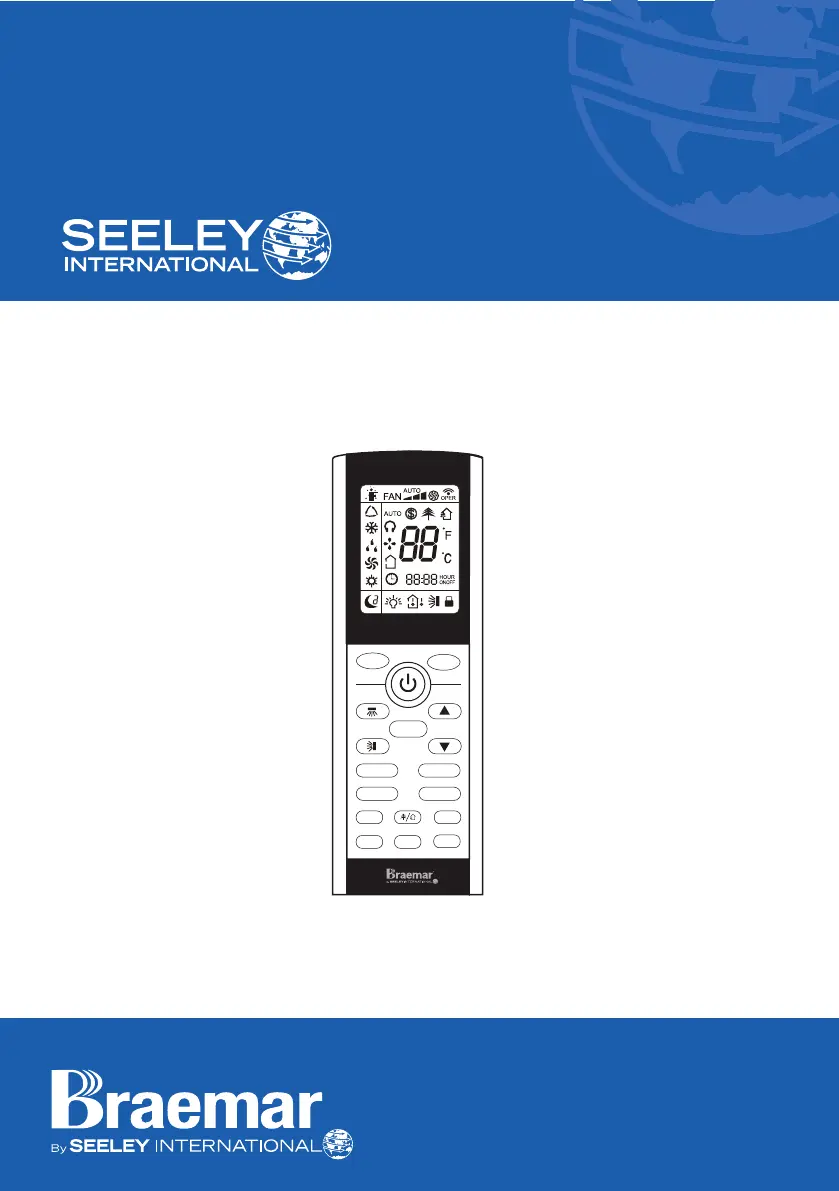
OWNER’S MANUAL
HIGH WALL INVERTER
(English) (LSHV SERIES)
MODE
FAN
WiFi TEMP
QUIET
LIGHT
CLOCK
TIMER ON TIMER OFF
I FEELSLEEP
TURBO

Questions and Answers

  • J
    Jessica CookAug 7, 2025
    What to do if my Seeley Braemar LCHV50D1S Inverter air conditioner does not run?
    • D
      David EvansAug 8, 2025
      If your Seeley Inverter air conditioner isn't running, there could be several reasons. First, there might be a power failure, in which case you should wait for the power to resume. Second, a fuse might have blown, or a circuit breaker might be open; replace the fuse or reset the breaker. Finally, the thermostat adjustment might be too low in heating mode or too high in cooling mode. Check the thermostat setting, especially if you're using ‘I FEEL’ mode, and ensure the remote is in an appropriately cool or hot location.
  • M
    Michael FrancisAug 12, 2025
    Why is my Seeley Braemar LCHV50D1S remote controller not operating the air conditioner?
    • R
      Robert HoffmanAug 13, 2025
      If your Seeley Inverter's remote controller isn't working, it might be out of range; the signal range is 8 meters. Poor signal reception could also be the issue; try removing any obstacles or sources of electrical interference. Lastly, check the batteries in the remote controller and replace them if needed, especially if there's no display.
  • M
    millertraciAug 17, 2025
    What to do if my Seeley Inverter has insufficient cooling?
    • J
      Jeffrey RushAug 18, 2025
      If your Seeley Inverter isn't cooling enough, it could be because the room was very hot when you started the system; give the unit time to cool the room. Another reason may be that the air filter is dirty or blocked; clean the filter to resolve this.
  • M
    Melissa MooreAug 22, 2025
    Why can't I adjust the SET temperature on my Seeley Inverter?
    • C
      calvin44Aug 22, 2025
      If you can't adjust the SET temperature on your Seeley Inverter, it might be because the unit is operating in AUTO mode, where temperature settings are disabled. Alternatively, the temperature you're trying to set might be outside the allowable range, which is 16-30°C.
  • B
    Bruce KingAug 27, 2025
    Why does my Seeley Braemar LCHV50D1S Inverter air conditioner make a clicking sound?
    • M
      michelle70Aug 27, 2025
      If you hear a clicking sound from your Seeley Inverter air conditioner, especially during heating or cooling operation, it's likely due to plastic parts expanding or shrinking because of sudden temperature changes. This is normal.
  • R
    Ryan BeckSep 1, 2025
    Why is my Seeley Braemar LCHV50D1S Inverter cooler not operating at full power?
    • J
      Jamie MaldonadoSep 1, 2025
      If your Seeley Inverter cooler isn't operating at full power, it's possible that DRED (Demand Response energy saving) mode has been activated by the Electricity Supplier. DRED will stop when grid power demands are reduced.

Summary

Introduction and Safety

General Safety and Important Notices

Covers crucial safety warnings, regulatory compliance, and warranty voiding conditions.

Operation

Remote Controller Overview and Battery Replacement

Explains basic remote controller handling, precautions, and how to change batteries.

Error Display and Fault Conditions

Lists common error codes and explains fault conditions requiring service.

Maintenance and Service

Maintenance Safety Precautions

Emphasizes isolating power before cleaning or servicing the unit.

Troubleshooting

Common Problems and Solutions

Provides a table of common issues, probable causes, and recommended remedies.

Warranty and Service

Obtaining Prompt Service

Provides instructions and contact information for warranty service.

Seeley Braemar LCHV50D1S Specifications

General IconGeneral
ModelLCHV50D1S
TypeInverter
BrandSeeley Braemar
Cooling Capacity5.0 kW
RefrigerantR32
Indoor Unit Dimensions (H x W x D)295 x 900 x 215 mm
Outdoor Unit Dimensions (H x W x D)550 x 780 x 290 mm
Weight (Indoor Unit)10 kg
Indoor Unit Weight10 kg
Power Supply220-240V, 50Hz

Related product manuals