17
Seeport
2
User Manual
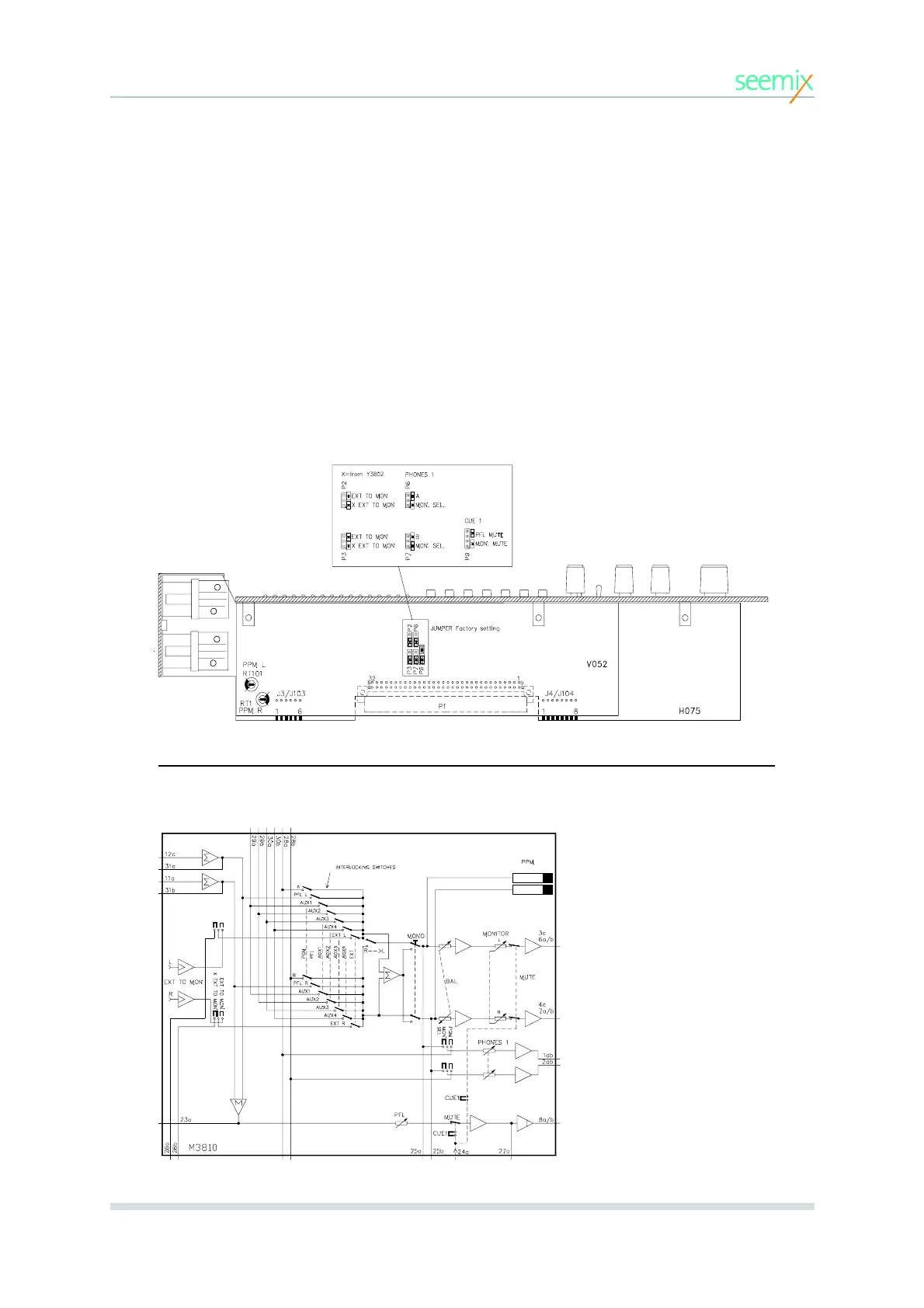
JUMPER SETTINGS.
The following jumper possibilities are available:
•Selection of external monitoring source from ext. input on back panel or
from optional Y3802 module (in 12 and 16 channel frameworks only).
•Phones 1 to follow monitor selection or always AB.
•Cue 1 signal can mute monitor/phones 2 output.
•Cue 1 signal can mute PFL output.
The positions of these jumpers are indicated in the diagram below.
Module Information
M3810 MODULE AUDIO BLOCK DIAGRAM
3. MODULES
Jumper settings



 To Next Page