English-78
System>Settings menu.
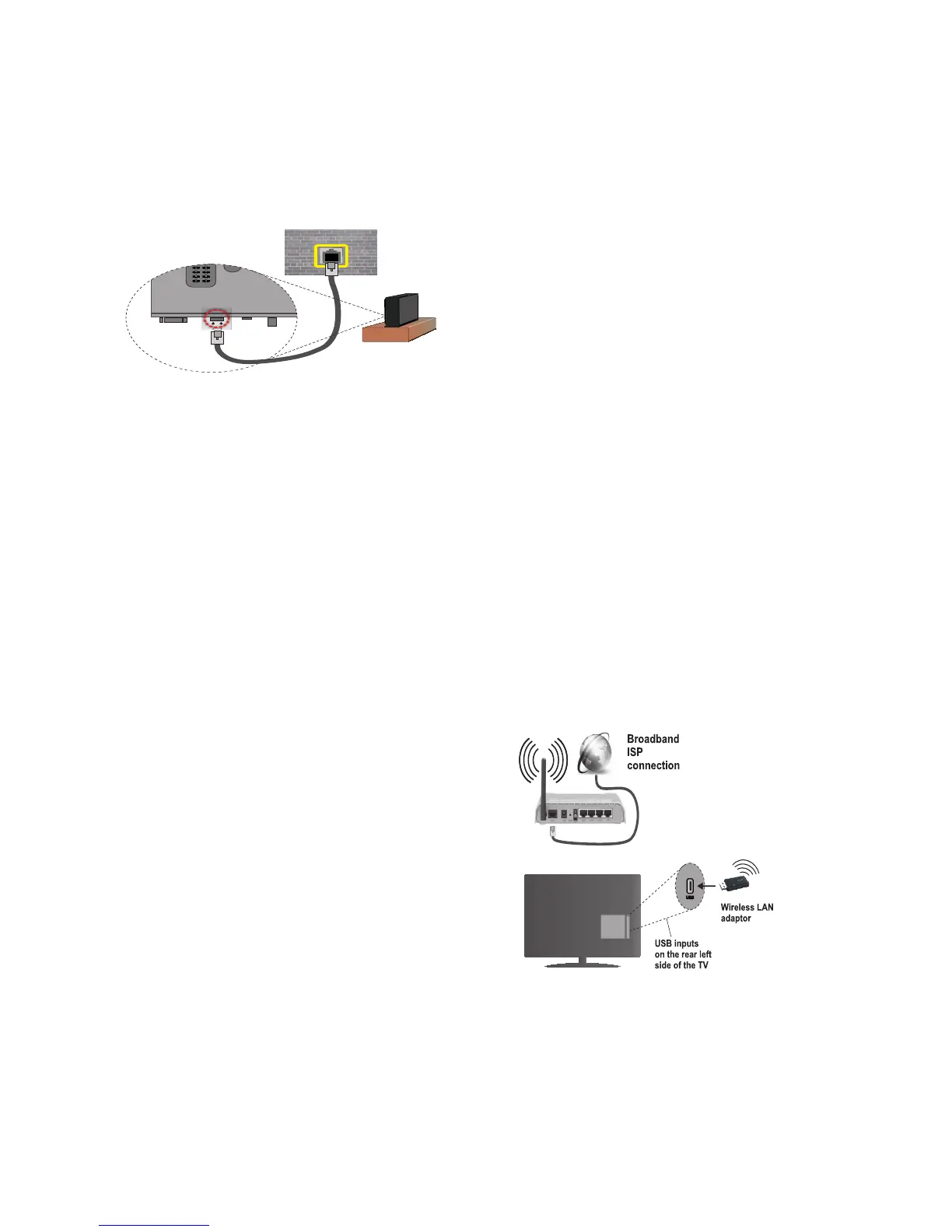
• You might be able to connect your
TV to your LAN depending on your
network’s configuration. In such a case,
use an ethernet cable to connect your
TV directly to the network wall outlet.
Configuring Wired
Device Settings
Network Type
The Network type can be selected as Wired
or Wireless, in accordance with the active con-
nection to the TV set. Select this as “Wired” if
you are connecting via an ethernet.
Configuration Status
This section displays the status of the con-
nection.
IP Address
If an active connection is available, the IP ad-
dress will be displayed on this section. If you
want to configure an IP address preferences,
press the GREEN button and switch to the
advanced mode.
Configuring Wired Network
Settings in Advanced Mode
After pressing the GREEN button, the
“Advanced mode” will be available. While
in Advanced Mode, press the RED button
to edit settings. When finished, press OK
to save, Press BACK to cancel.
Wireless Connectivity
To Connect to a Wireless
Network
IMPORTANT: “Veezy 200” USB dongle
(not supplied) is required to use wireless
network features.
The TV cannot connect to the networks
with a hidden SSID. To make your modem’s
SSID visible, you should change your SSID
settings via the modem’s software.
To Connect to a wireless LAN, you
should perform the following steps:
1. Ensure that Nero Media Home software
is installed to your PC (for DLNA
function).
2. Then connect the wireless adaptor (not
supplied) to one of the USB inputs of
the TV.
3. To configure your wireless settings
please refer to the Network settings
section in this manual.


 To Next Page