78
CONTROL UNIT
10
10-1 REMOVING THE CONTROL PANEL
Be sure to perform volume's move value setting in the INPUT ASSIGNMENTS in the
Game Test Mode after replacing or adjusting the Volume.
In cases the Steering operability is poor and the adjustment of VOLUME SETTING in the TEST mode has no effect,
the causes may be the volume gear's mesh failure and or volume malfunctioning.
Adjust volume gear mesh or replace the volume as per the following procedure.
In this product, when the steering wheel is moved fully left/right, if the volume shaft is rotating within the movable
range, the volume is not feared to be damaged.
Secure the volume in the manner the volume shaft is oriented as shown and the gears are appropriately engaged
when the steering wheel is in the centering position allowing the car to go straight forwar
d.
A 5 mm hexagonal wrench is required for the following procedure.
1
Turn off the power.
2
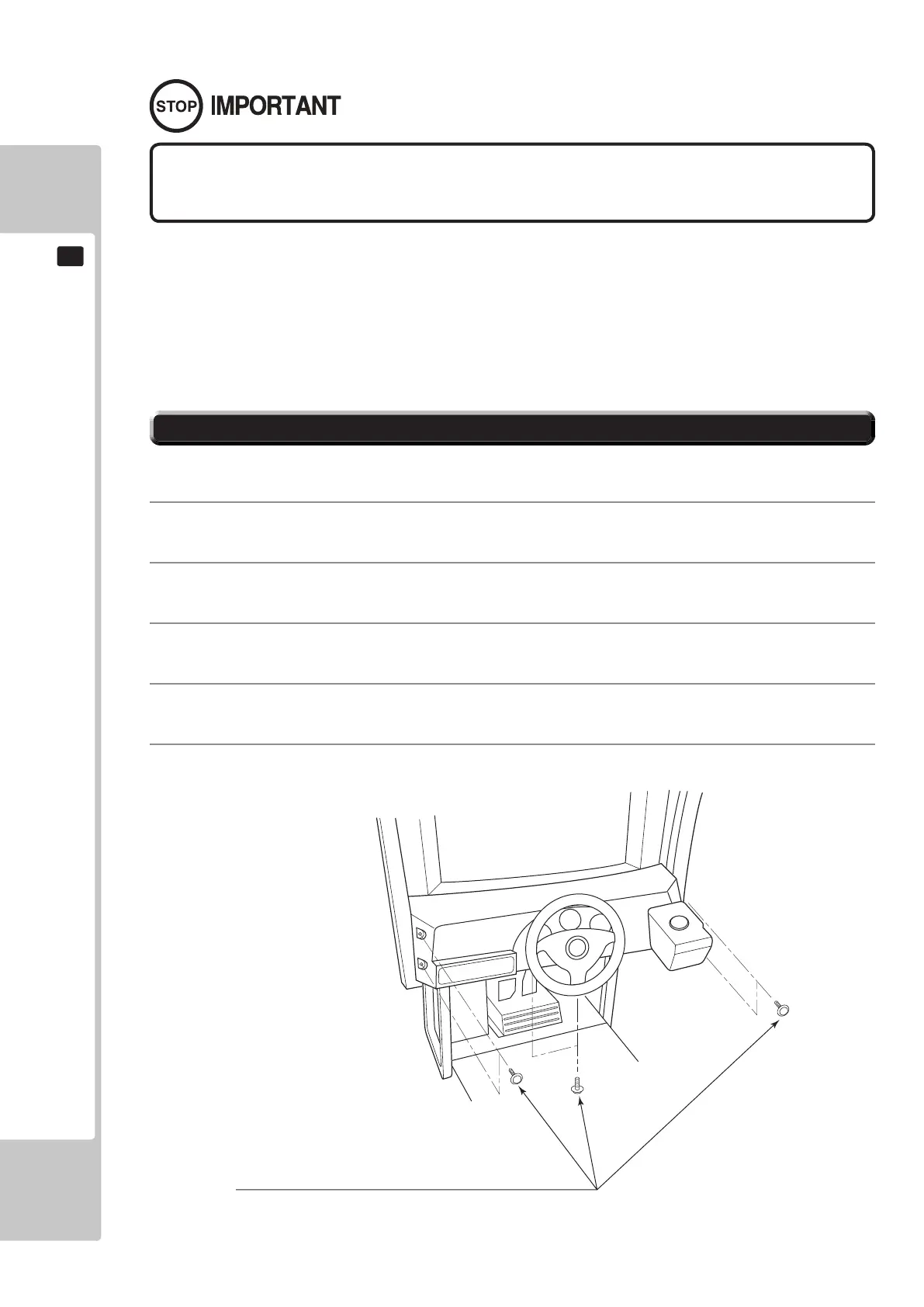
Remove the 4 hexagon socket button head screws from both sides of the Control Panel’s front part.
3
Remove the 2 hexagon socket button head screws from underside of the Control Panel.
4
Wiring connectors are connected inside the Control Panel. Be careful not to damage any of the wiring, and
carefully pull out the Control Panel.
5
Unplug the wiring connectors.
HEXAGON SOCKET BUTTON HEAD SCREW (total 6), black
M8x30, flat and spring washers used
10-1 FIG. 01











 To Next Page