82
CONTROL UNIT
10
If the start switch input does not function correctly on the INPUT TEST screen, the switch may need to be replaced.
To carry out this maintenance, you must rst remove the start button unit.
For this task, you will need a tamper proof wrench (for M4 screws),
● When working with the product, be sure to turn the power off. Working with the
power on may cause an electric shock or short circuit.
● Be careful not to damage the wires. Damaged wires may cause an electric
shock, short circuit or present a risk of re.
1
Turn the power OFF
2
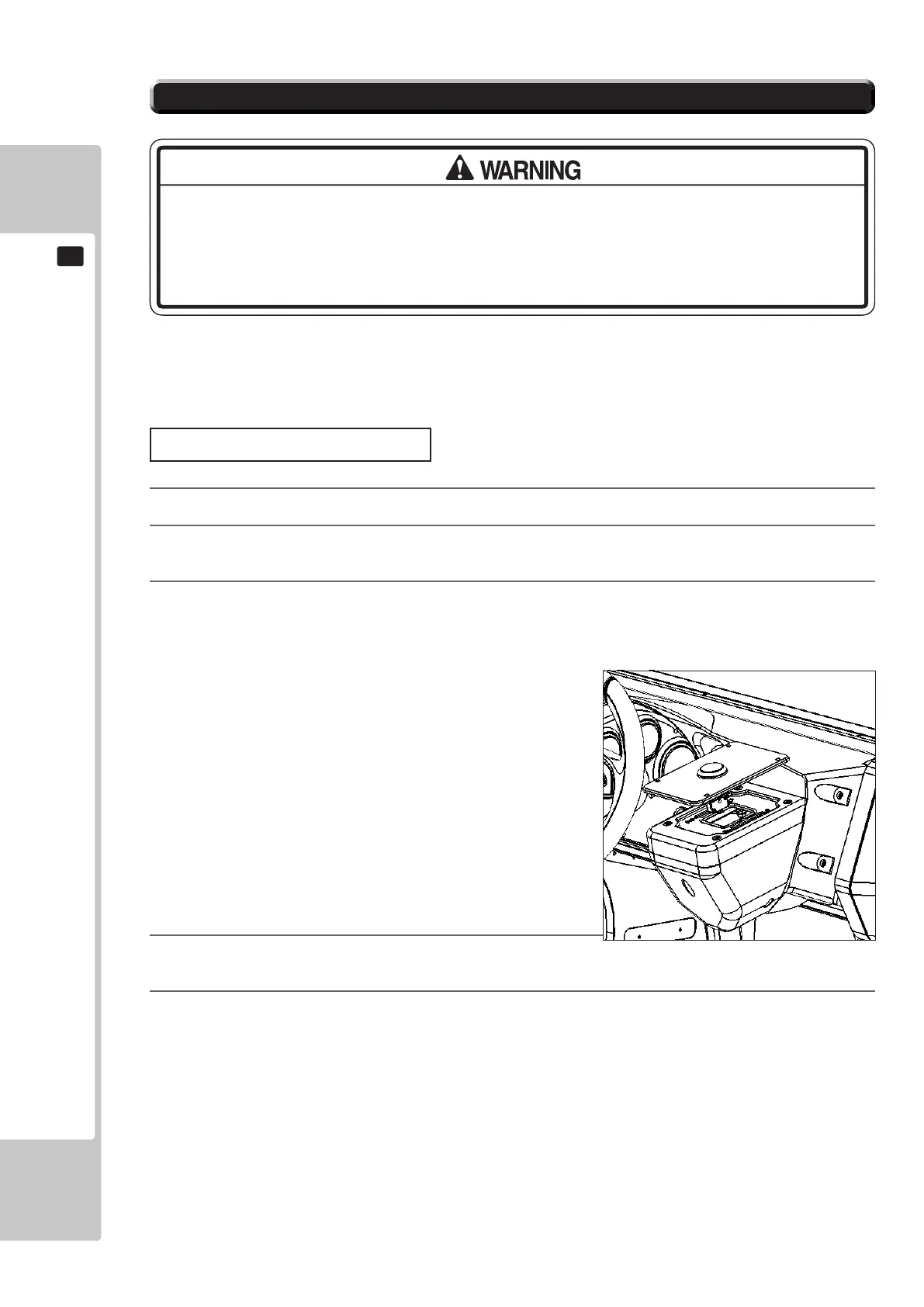
Using the M4 tamper proof wrench remove the four tamper proof screws, 1 located in each of the corner of
the Start Button Plate.
3
Gently lift out the Button Plate to reveal the wiring harness, locate the plug connecting it to the Control panel
and remove the connection. The Button and Plate can now be extracted.
4
When re-installing the Start Button and Plate follow the above instructions in the reverse order. At this
time ensure that the orientation of the Button Plate is correct before securing.
5
After the Re-installation of the Button Plate and Start Button, be sure to check the INPUT TEST in the Game
Test mode to determine it’s correct operation.
10-4 START BUTTON ASSY
Start Button Plate Removal










 To Next Page