CONTROL UNIT
83
10
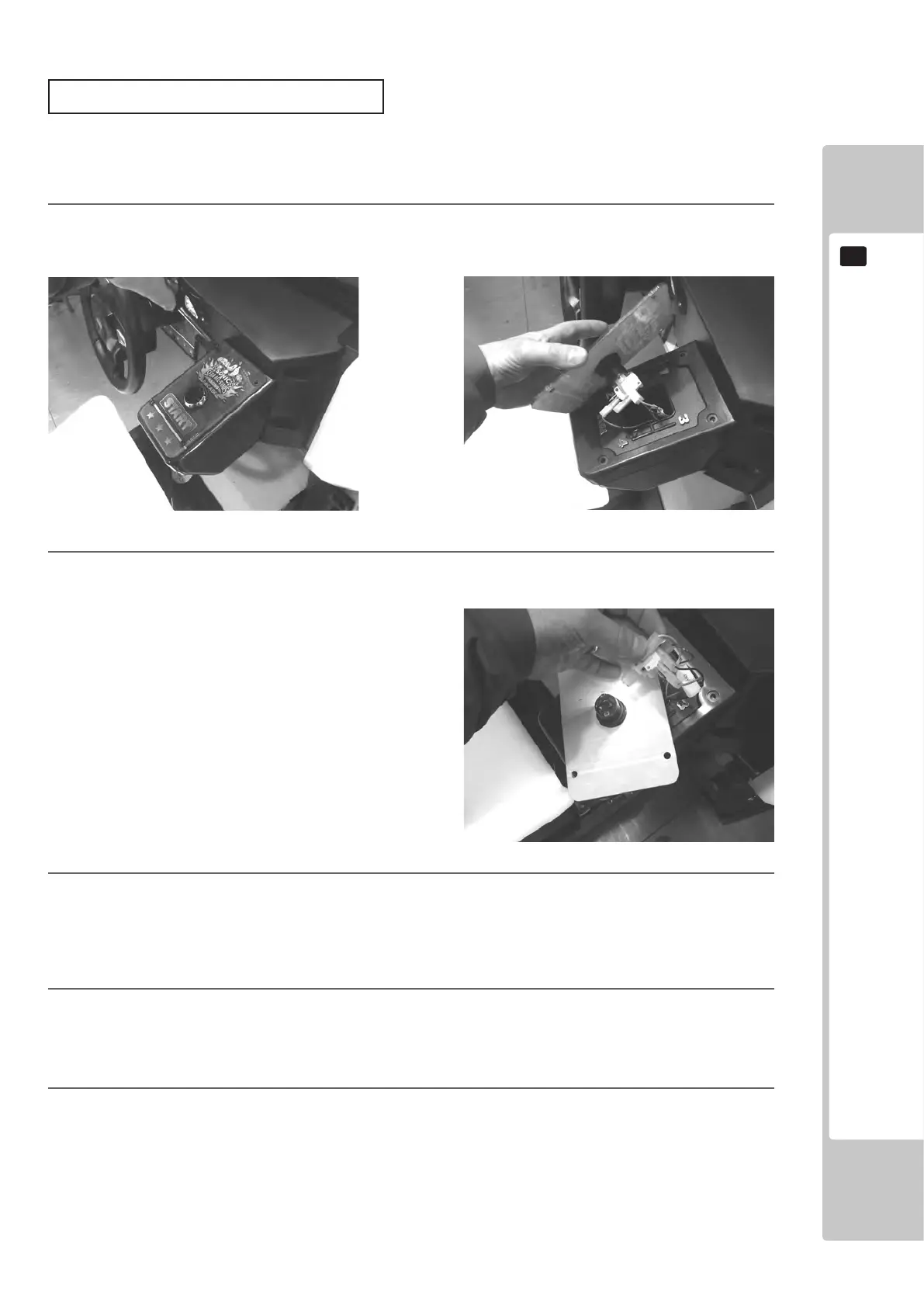
Follow the instructions below to change the microswitch.
1
Unscrew and remove the START BUTTON PLATE as explained on the previous page.
2
Remove the microswitch by unclipping it from the Lamp Housing
3
Remove the wiring harness from the old microswitch and re-attach it to the replacement switch in the same
manner
4
Clip the Microswich back into the lamp house making sure that it is fully in place.
5
The unit is now ready to be retted into the Control Panel, to do this follow the instructions in reverse order
Strart Button/switch replacement


 To Next Page
 Loading...