22
www.seuservice.com
It provides several marine scenes where a cruising course appearance varies from play to play.
The WaveRunner GP game features:
• Effects of Stern Wave
A stern wave is the wave produced on the wake of a boat. If your boat runs on the stern waves
produced by another boat, it may jump unexpectedly, reduce its speed, or meet any other
navigating difculty. You must prevent your boat from running on the stern waves and navigate it
with attention to where and how other boats are moving.
• Water-Level-Depending Jumps
A large jump (or a group of small jumps) may appear on the course when a water level is lower (or
higher). The jump that was submerged on your rst round cruise may be above the water on your
second round cruise. Therefore, you must navigate your boat differently and/or change a cruising
path, from cruise to cruise, so that you can use an approaching jump.
• Insert the coin(s).
• Make sure that the screen shows the PRESS START BUTTON message and that the start button
ashes, and then climb onto the seat.
• Press the start button, and make sure that the operation explanation screen appears. (See the note 1
below.)
• Wait until the time is counted down to 0 (zero) on the operation explanation screen or alternately
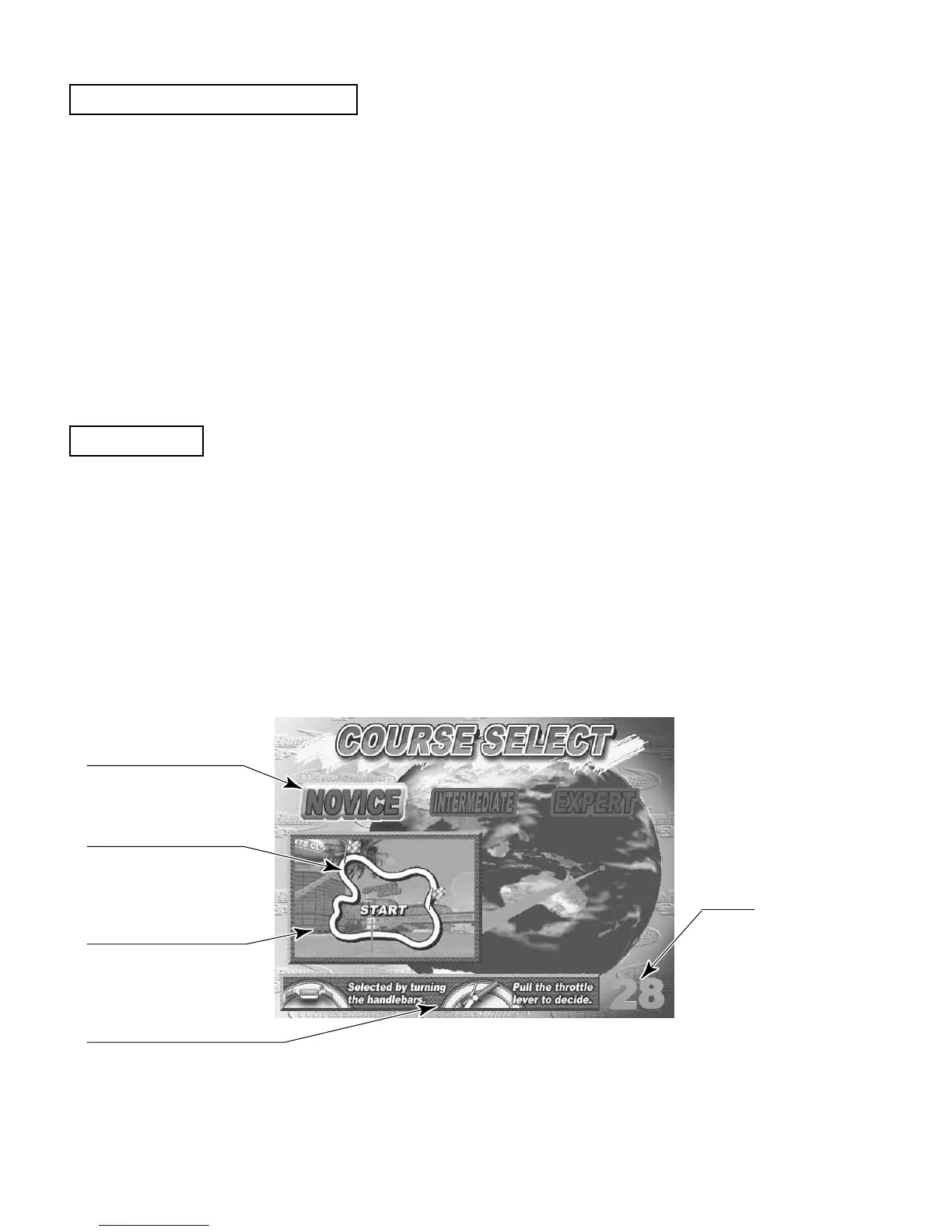
press the start button to exit the screen. In either case the COURSE SELECT screen appears.
FIG. 8 b
Highlights a selected
course.
Illustrates a course
layout.
Shows an image of the
selected course.
Indicates how to operate
the handlebars and the
throttle lever.
Indicates a limit
time for a course
selection.
Features of the WaveRunner GP
How to Play











 To Next Page