8 [en] Quick Installation Guide
SEH UTN Manager
The 'SEH UTN Manager' is a software tool developed by SEH Computertechnik
GmbH. The SEH UTN Manager is used to establish and manage connections to
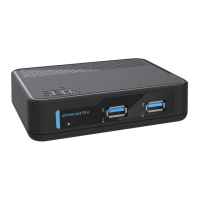
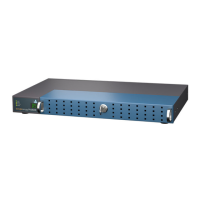
the USB devices connected to UTN servers.
The SEH UTN Manager is available in two versions:
• complete version:
has a graphical user interface and offers additional features
• minimal version:
command-line interface only
A detailed description can be found in the USB Deviceserver User Manual.
The SEH UTN Manager has to be installed on all clients that are intended to
access a USB device via the network. Different installation files are available,
depending on the operating system.
First, you have to download the installation file for the SEH UTN Manager from
the website of SEH Computertechnik GmbH:
http://www.seh-technology.com/services/downloads/
download-deviceserver/utnserver-pro.html
System requirements:
– Windows 10, Windows Server 2012 or later
OS X respectively macOS 10.9 or later
– The installation can only be carried out by users with administrative rights.
1. Start the installation file.
2. Install the complete version of the SEH UTN Manager (including graphical
user interface). To do so, follow the installation routine.
The SEH UTN Manager is installed on your client.
Important:
The SEH UTN Manager is also available for selected
Linux systems.
All information necessary for installing and using the
SEH UTN Manager in Linux environments can be found
in the USB Deviceserver User Manual Linux. The
documentation is available via the link given above.


 To Next Page