12 13
Adjusting the Position of Labels
If you find the labels are advancing at an angle, follow these steps to realign them:
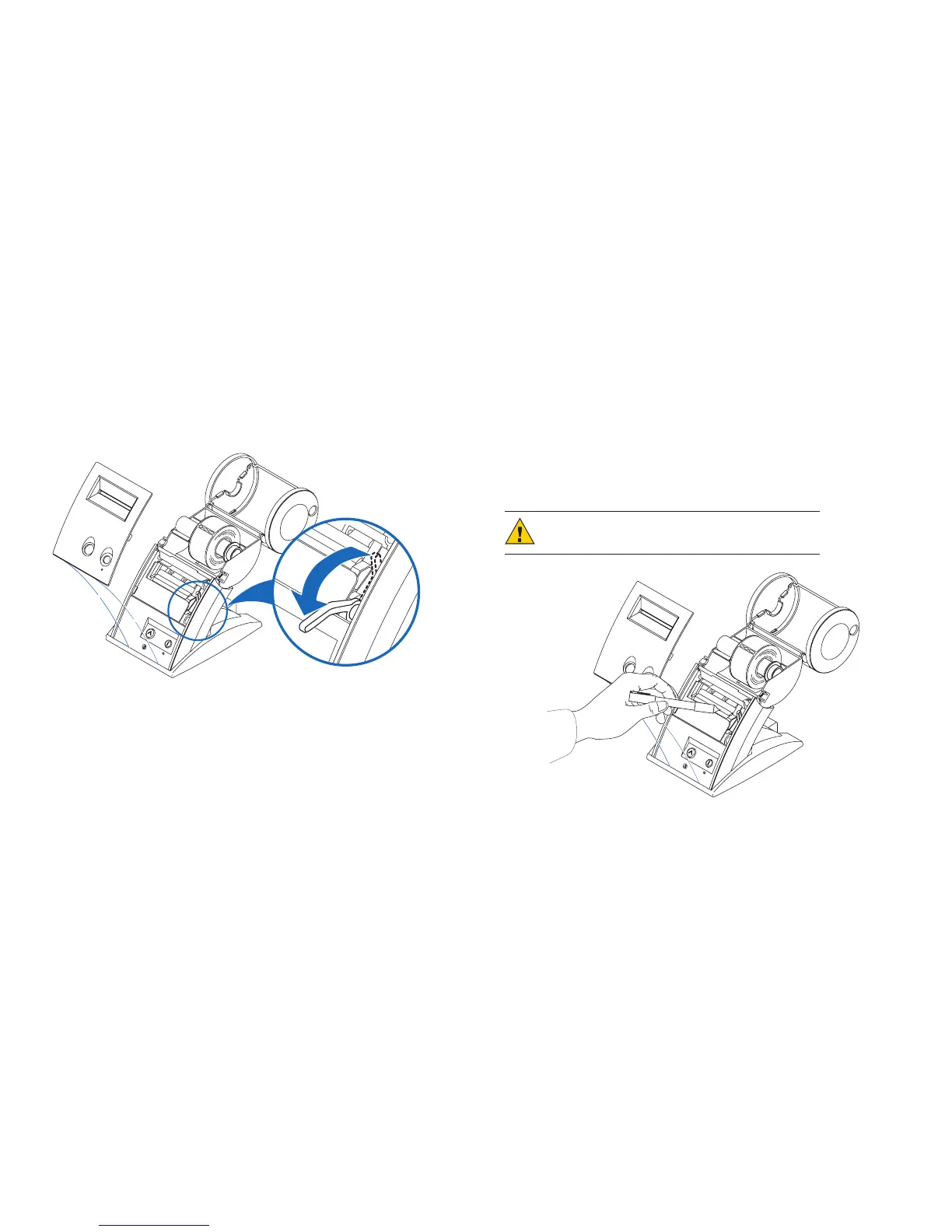
1 Swivelthelabelcoveropenandremovetheprintenginecoverbypullingforwardonthe
edges at the top of the cover.
2 Releasethepressureonthelabelstockbymovingtheplatenreleaseleverforward.
3 Realignthelabelstocksoitisstraight.
4 Returntheplatenreleaselevertothelockedposition.
5 Makesurethelabelsfeedthroughtheslot.
6 Replacetheprintenginecover,startingatthebottom,andpushthetopedgeforward
until the cover snaps into place.
Removing Stuck Labels
Ifalabelbecomesstuckinyourprinter,removeitasfollows:
1 Withapairofscissors,cutthelabelstockbetweenthelabelrollandthelabelslotatthe
backoftheprinter.
2 Swivelthelabelcoveropenandremovetheprintenginecoverbypullingforwardonthe
edges at the top of the cover.
3 Releasethepressureonthelabelstockbymovingtheplatenreleaseleverforward.
4 Removethestucklabel.
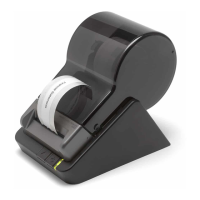
5 Ifthelabel–orpiecesofthelabel–sticktotheplaten,usetheSeikoDual-Action
Cleaning Pen to dissolve the adhesive on the label and remove residue left on the printer.
CAUTION:DONOTtouchtheprintengine.Itmaybehot.
6 Once you have removed any remaining pieces of label, return the platen release lever
tothelockedposition.
7 Replacetheprintenginecover,startingatthebottom,andpushthetopedgeforward
until the cover snaps into place.
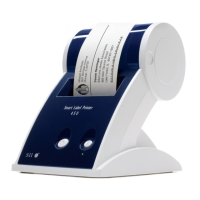
Removetheprintenginecover
Releasetheplatenlever


 To Next Page