EasyManua.ls Logo

Seiko Data-2000 - How to Use the Calculator Function (Continued); Clear Entry and All Clear Functions; Calculation Examples

Seiko Data-2000
18 pages
Print Icon
To Next Page IconTo Next Page
To Previous Page IconTo Previous Page
Loading...
Key
operation
5j
| 7
T]
fir
in
nr~
CE
a
Display
Remarks
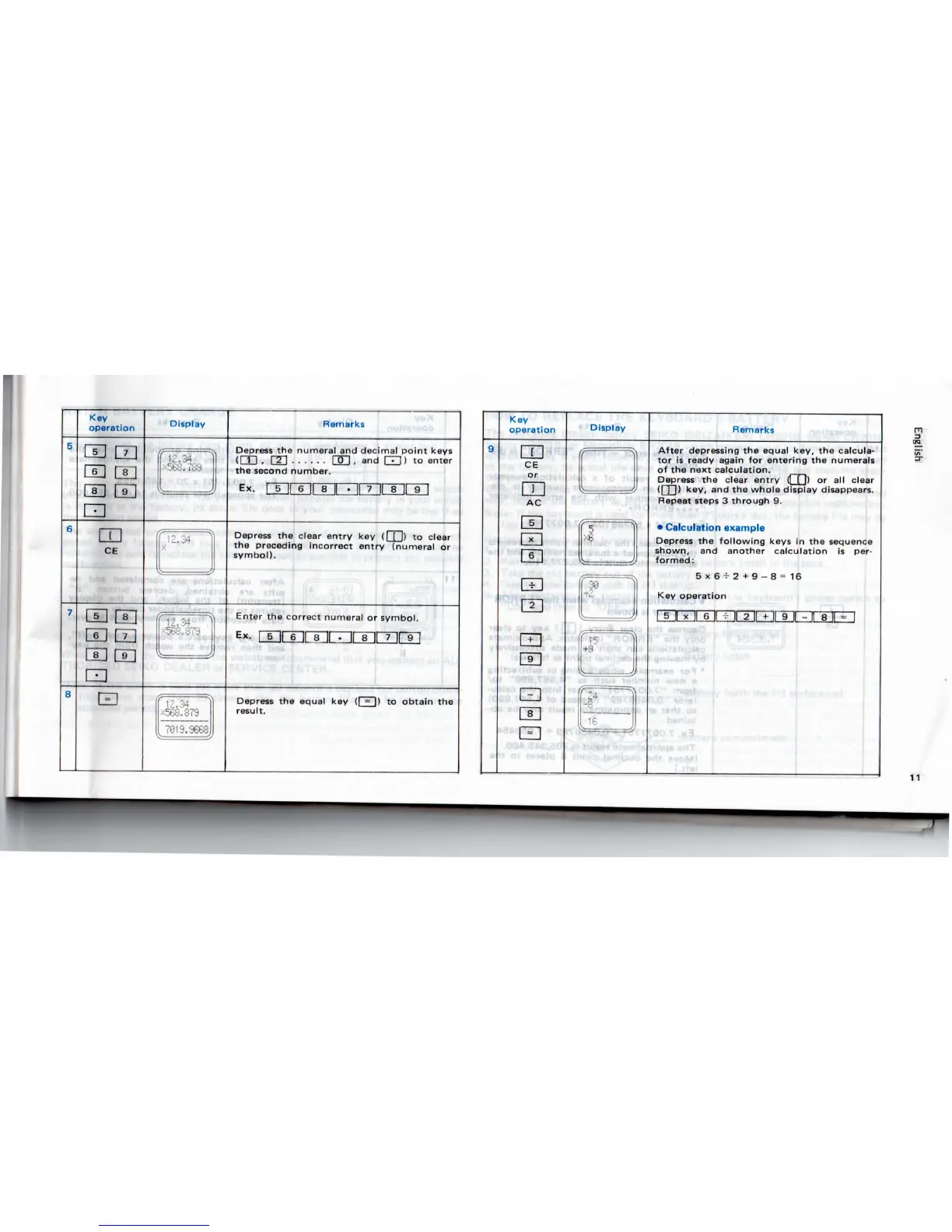
Depress
the
numeral
and
decimal
point
keys
(CD
,
l"2"l
CSH
, and
|~T"1)
to
enter
the
second
number.
Depress
the
clear
entry
key ([ [ |) to
clear
the
preceding incorrect entry (numeral
or
symbol).
Enter
the
correct numeral
or
symbol.
EX.
LB.H
sji
8
ii
Depress
the
equal
key (I = I) to
obtain
the
result.
Key
operation
LU
CE
or
AC
I
6 I
ED
Display
Remarks
After depressing
the
equal
key,
the
calcula-
tor is
ready
again
for
entering
the
numerals
of the
next calculation.
Depress
the
clear
entry
(I
[ 1) or all
clear
(|
] J)
key,
and the
whole display
disappears.
Repeat
steps
3
through
9.
Calculation
example
Depress
the
following
keys
in the
sequence
shown,
and
another calculation
is
per-
formed:
5x6
+
2 +
9-8=16
Key
operation
S»fliV'
•iexfi
I
Vv'
i
b«
-
i.
t«rt
.b«
'JO
A
<W
rr
n

Related product manuals