31
30
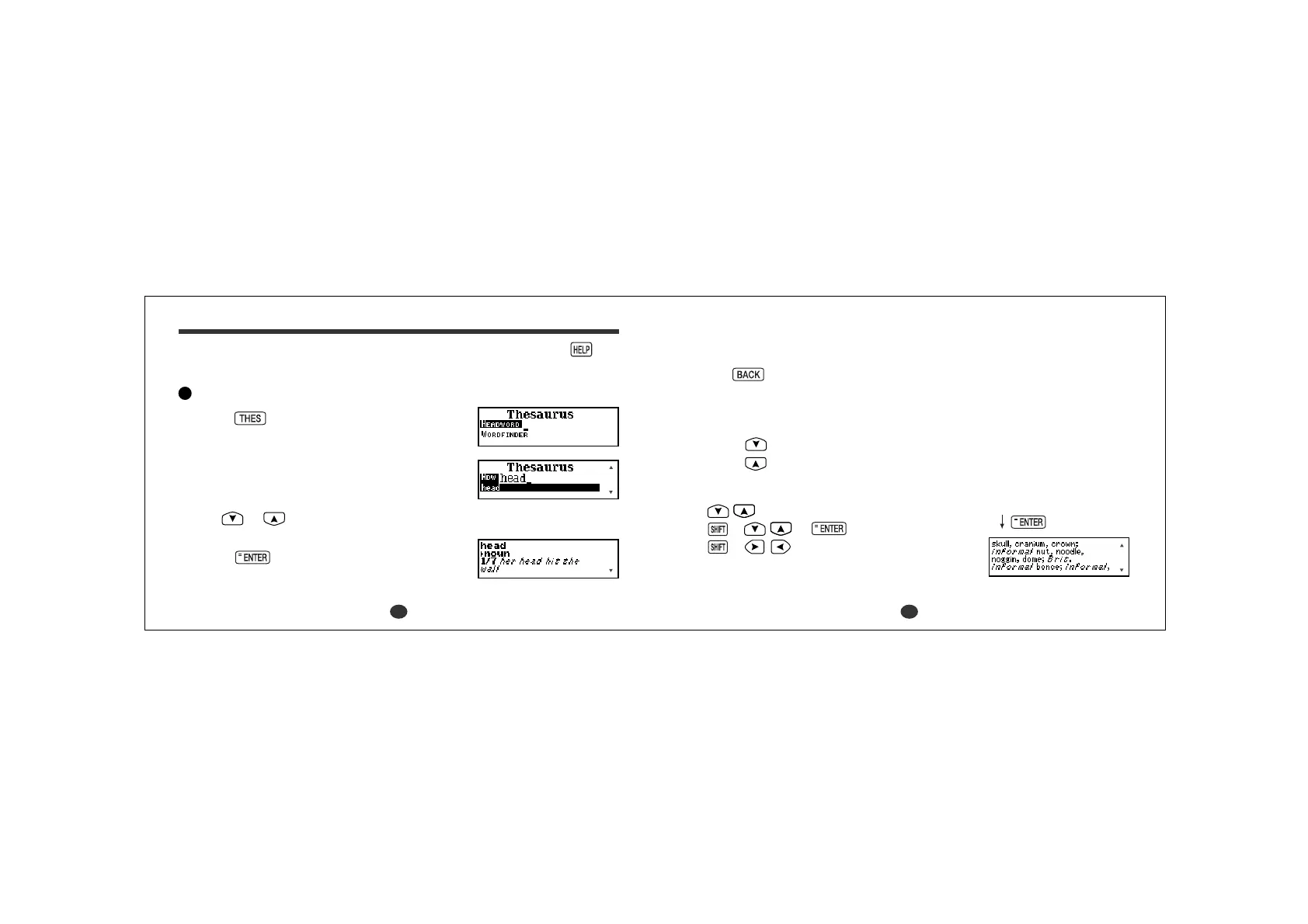
* The synonyms in each set that are closest in meaning to the entry word are
given first, usually starting with a ‘core synonym’ in
SMALL CAPITALS.
* Use
to return to the headword selection screen.
* The ▼ mark will appear if there is insufficient space to display the whole
entry.
4Press to see other synonyms.
Press
to scroll up.
- Scrolling the screen -
:by line
+ or :by page
+ :by sense number
Thesaurus
• Introduction and Guide to the Thesaurus can be found by pressing
from the Thesaurus entry screen.
Headword Search
1Press .
2Type a word.
Example: head
Every time you enter a letter, the closest match
will be displayed.
* Use
or to view the next term in the
index.
3Press .
The unit shows a list of synonyms along with
any example sentences.



 To Next Page