89
88
Word Challenge
Use some or all of the letters displayed to make new words.
This is a word building game in which you have to use the prescribed letter.
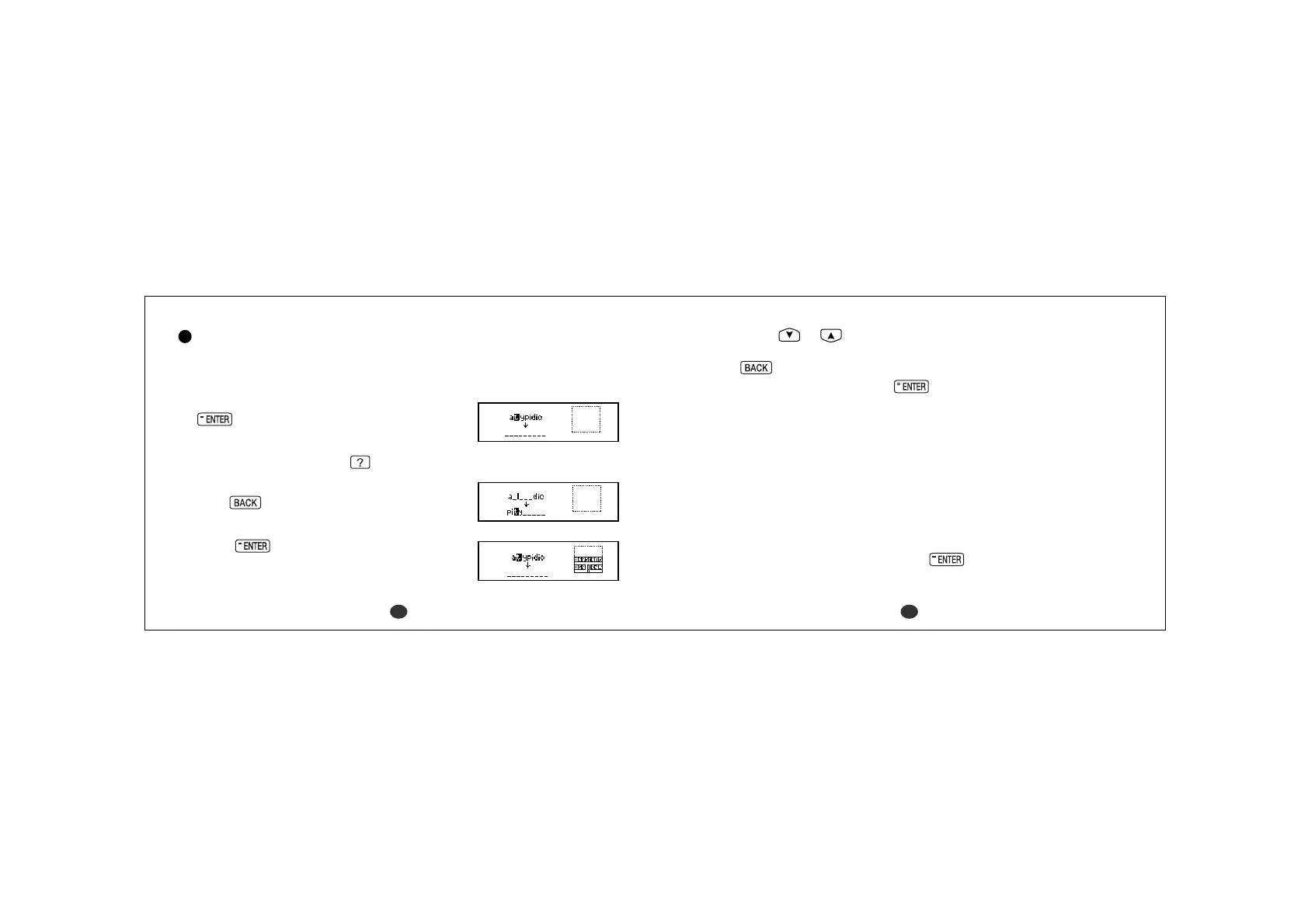
1 Select “Word Challenge” and then press
.
The selected letters will be displayed.
*To shuffle the letters, press
.
2 Enter a word using over 3 displayed letters.
Press to return.
Be sure always to use the highlighted letter.
3Press .
If your answer is correct, you can enter the
next word.
*You can use
or to redisplay correct
words already accepted.
Press to return.
*To give up entering letters, press
.
* If your answer is incorrect, the message “
Try
again” will appear and the selected letters will
be displayed again.
* If your answer is correct, the following messages will be displayed and
counted in the appropriate column by the number of the answers.
“
Poor” column (P) Under 60% of all the answers
“
Good” column (G) 60% to 90% of all the answers
“
Brilliant” column (B) Over 90% of all the answers
* Press any alphabet key to display the next question.
*You can use jump function by pressing
. (See page 42.)
* Please note that not every word returned by the Games is included in the
Dictionary, Thesaurus or Encyclopedia.



 To Next Page