63
62
Knowledge List
The unit enables you to scroll through various general knowledge resources in
a similar manner to browsing through the lists in a book.
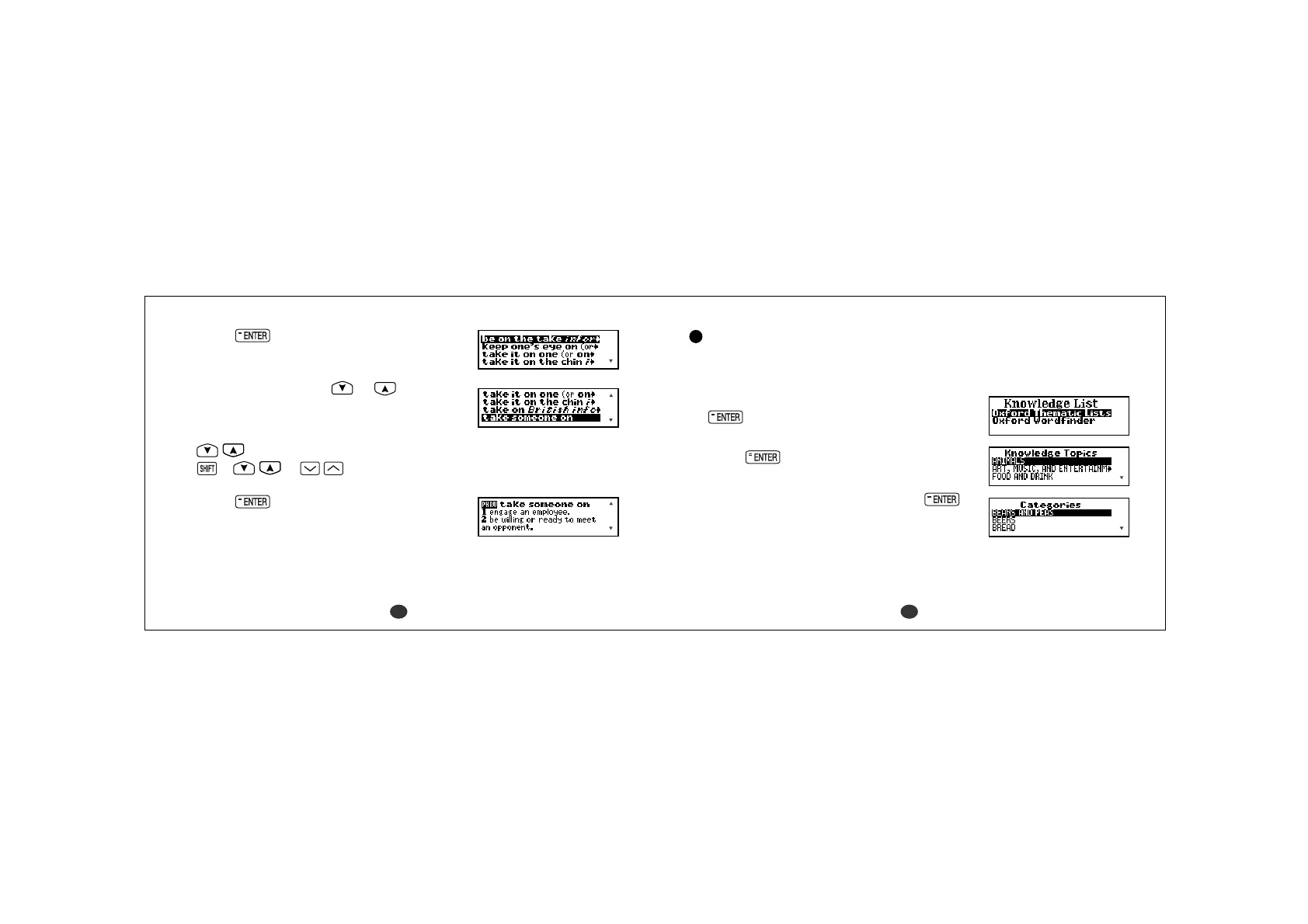
1 Select “Knowledge List” and then press
.
2 Select the name of the source and then
press
.
Example: Oxford Thematic Lists
3 Select the category and then press
.
Example: FOOD AND DRINK
* By pressing the first letter of a category, you can
directly select the desired category. Further
categories starting with the same letter can be
selected by pressing the same letter again.
3Press .
The corresponding phrase list will be displayed.
4 Select a phrase using or .
Example: take someone on
- Scrolling the list -
:by line
+ or :by page
5Press .
The selected phrase and its definition will be
displayed.
Note that the selected phrase is displayed within
its full dictionary entry, not on its own.



 To Next Page