105
104
Setting Function
You can customize the operating conditions.
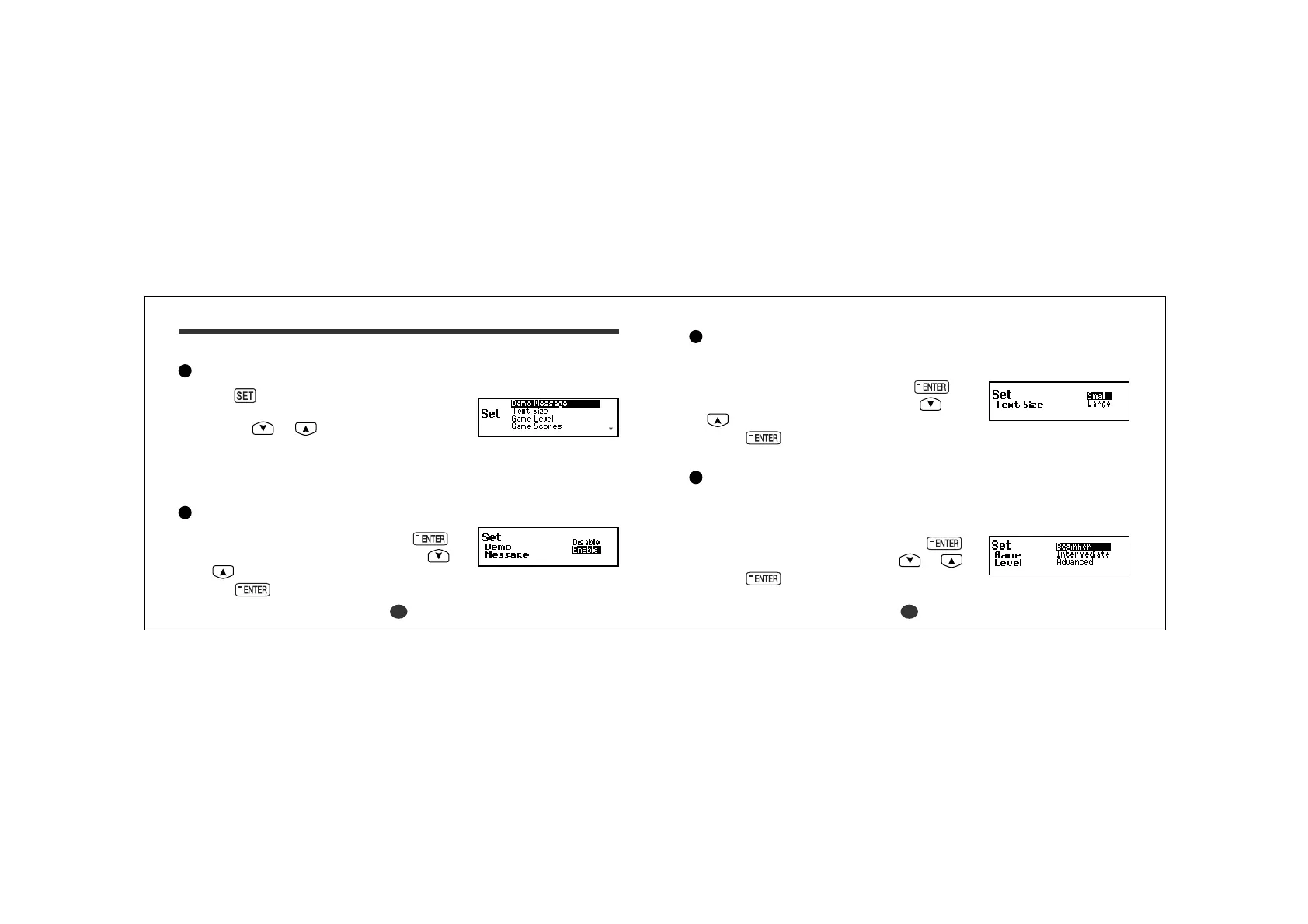
Selecting the menu
1Press .
2 Select the function you want to change by
pressing
or .
*By pressing the first letter of a menu item, you can directly select the
desired function. Further menu starting with the same letter can be selected
by pressing the same letter again.
Changing the Demo message
1 Select “Demo Message” and then press .
2 Select “Disable” or “Enable” by using
or .
3Press
to accept changes. (See page 8.)
Changing the Text size
You can change the size of the characters on the screen.
1 Select “Text Size” and then press .
2 Select “Small” or “Large” by using
or
.
3Press
to accept changes.
Setting the Game Level
The unit provides three skill levels for playing games (Beginner, Intermediate
and Advanced). The level can be changed as required.
1 Select “Game Level” and then press .
2 Select one of the levels by using or .
3Press to set it.



 To Next Page