7
6
Preparation for Use
1 Install the battery
The unit is powered by one “AAA” size battery.
Before using the unit, please install the battery
as follows.
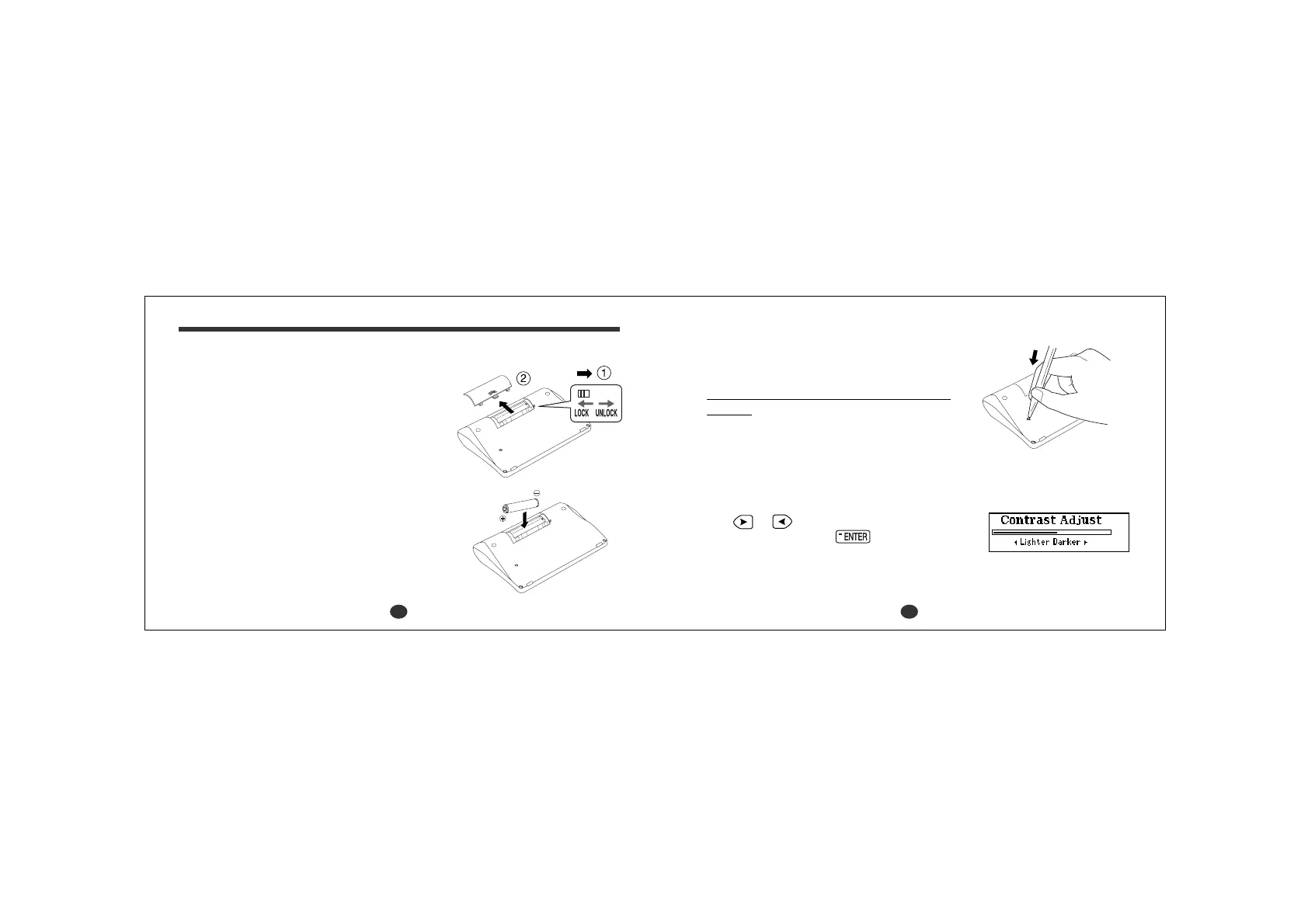
1. Turn the unit over.
2. Slide the tab to the right and
then
unlock
and remove the
battery cover.
3. Insert one “AAA” battery according to the
polarity ( + , – ) marks inside the battery
compartment.
Be sure to insert the battery from (–) side.
4. After replacing the battery cover, slide the tab
to the left and
lock
the battery cover.
5.
Press the “RESET” button on the bottom of
the unit.
6. The contrast adjustment display will appear.
2 Adjust the LCD contrast
Use or to adjust the contrast of the
display and then press
.
The “LCD Contrast” can also be adjusted
using the “Setting” function. (See page 109.)



 To Next Page