61
60
* For narrowing the corresponding abbreviations down, a single word
containing a wildcard (“?”, “
*
” or “#”) can be input. (See page 46.)
3Press .
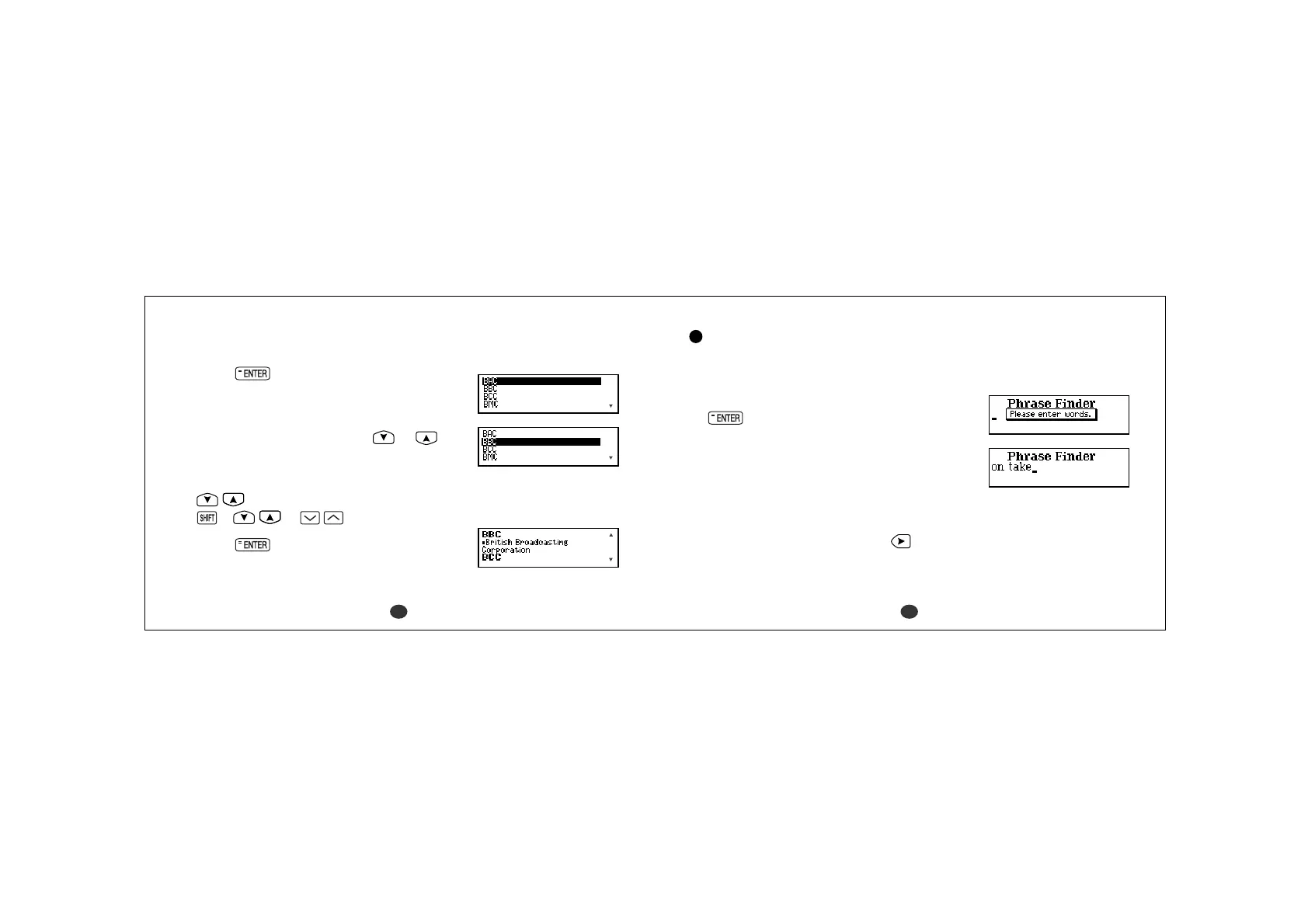
The corresponding abbreviation list will be
displayed.
4 Select an abbreviation using or .
Example: BBC
- Scrolling the list -
:by line
+ or :by page
5Press .
The explanation screen which starts from the
selected abbreviation will be displayed.
Phrase Finder
Search for phrases in the Concise Oxford English Dictionary including one or
more entered words.
1 Select “Phrase Finder” and then press
.
2Type word(s).
Example: on take
*You can enter up to seven words.
This method will find the phrases which
contain all the entered words.
A space can be entered by using
.



 To Next Page