67
66
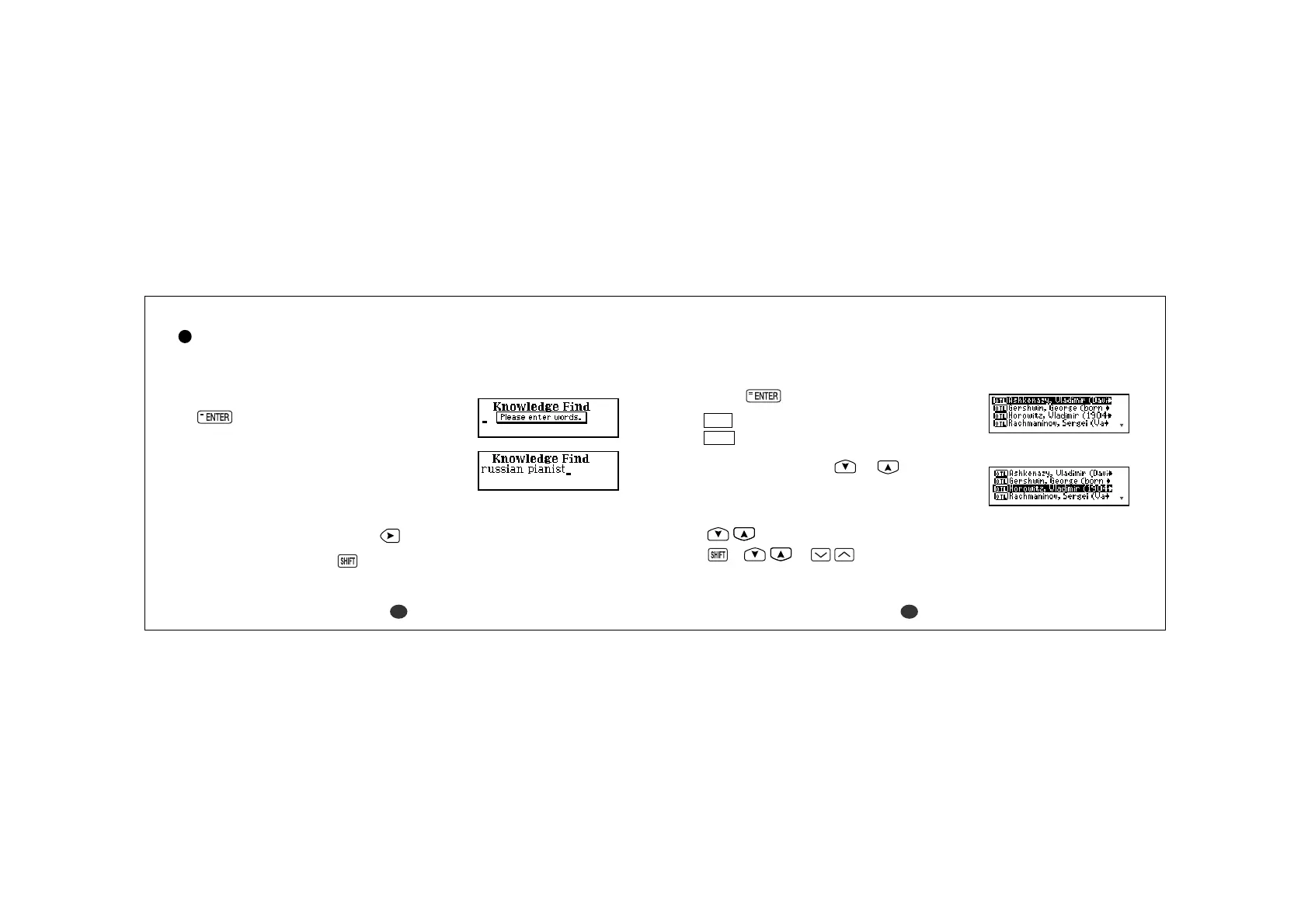
Knowledge Find
Look for the items in the Oxford Thematic Lists and Oxford Wordfinder using
the word(s) you have entered.
1 Select “Knowledge Find” and then press
.
2Type word(s).
Example: russian pianist
*You can enter up to seven words.
This method will find the items which contain
all the entered words.
A space can be entered by using
.
*To enter a number, press and then the
character of Q, W, ... P.
A number is available as a keyword as an era.
*You can add one target word with wildcard
(“?”, “
*
” or “#”), if you know some letters
of the target word. (See page 46.)
3Press .
OTL
Oxford Thematic Lists
OWF
Oxford Wordfinder
4 Select an item using or .
Example: Horowitz
- Scrolling the list -
:by line
+ or :by page



 To Next Page