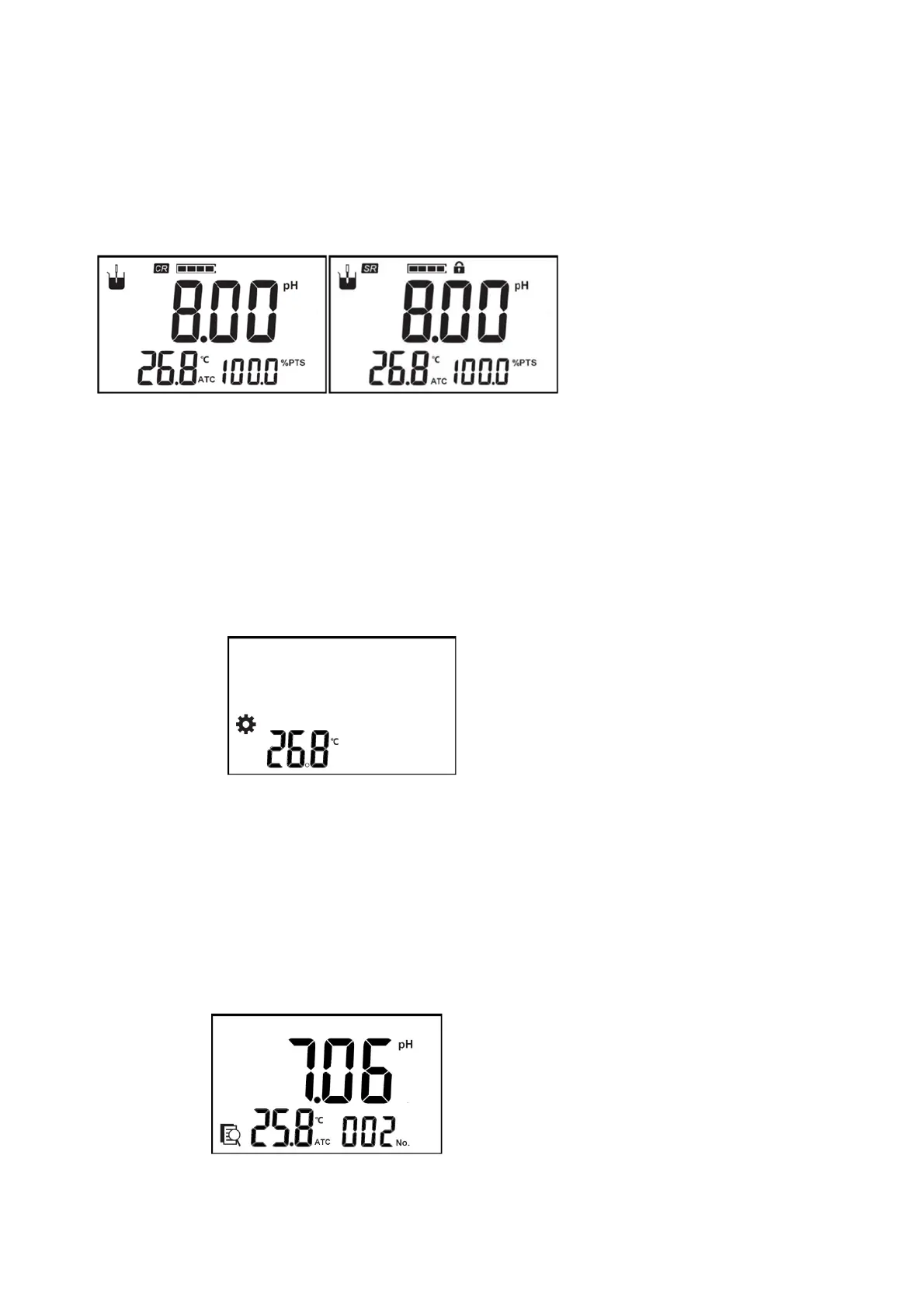
Themeterprovidestworeadingmodes,includingcontinuousreadingandautoreading.
■
Continuousreading:Theinstrumentdisplaysreal‐timemeasurementresults.Usercanendthemeasurementat
anytimeandsavethelastresult.
■
Auto‐reading:Themeasurementreachedthebalance,andthe meter
lockedthereadingresult.Balanceconditionisthattheresults fluctuateswithin0.6mVfor4sec.Intheauto‐
readingmode,pressthe“Meas/Del”totestthenextonesample.
Figure5‐4Tworeadingmodesdisplay
Inthemeasurementstate,longpressthe"Meas/Del"keytoswitchthereadingmode.
5.3.2.2 TemperatureSettings
Themetersupportstheconnectionoftemperatureelectrodes,whichcanbeautomaticallycompensated.Iftheuser
doesnotconnectthetemperatureelectrode,theuserneedstouseathermometertomeasurethetemperatureofthe
solution.Pressthe"Setting"keytoselectthetemperaturesettingfunction,pressthe"Cal/Enter"key,andadjustthe
temperaturetothespecifiedtemperaturevalue.
Figure5‐5Settingtemperaturevaluedisplay
5.3.2.3 Viewthedata
Themetersupportsstorageofmeasurementresults,upto50setsareallowedtobestored.Inthemeasurementstate,
pressthe"Cal/Setting"keytoselectthefunctionofviewingstoredresults,themeterfirstdisplaysthetotalnumberof
storedresults,andthendisplaysthelateststoreddata,asshowninthefigure,youcanpresstheupanddownkeytoview
eachstoredresult.Intheviewingstate,pressthe"Cal/Setting"keytoswitchthedisplayofpHandmVvalueresults.
Figure5‐6Viewingthestoringresults
Iftheuserwantstodeletethemeasurementresults,therearetwodeletionmethods:singledeletionoralldeletion,
theuserpressestheupanddownkeytoselectthedeletionmethod,dELonE1meanstodeleteasingledata,dELAll2



 To Next Page