5.3 InstrumentSettings
5.3.1
SwitchOn/Off
Afterinstallingthemulti‐functionelectrodeholderandpHelectrode,connectthepowersupply,andpress to
start.Themeterperformsself‐test,andthenentersthemeasurementstate.Afteruse,theusercanpress andhold
thekeyformorethan3secondstoswitchoff.
Table5‐3Charactersdisplayedonthepoweroperationinterface
No. Characterdisplay Explanation
1 U3E SwitchOn,SoftwareVersion
2 OFF SwitchOff
Beforeswitchingoneachtime,pleasechecktheelectrodesocketsonthebackofthemeter,andmakesurethat
they are connected with measuring electrodes or short‐circuit plugs,otherwise it maydamage the high‐resistance
componentsofthemeterandbringyouunnecessarylosses.
Whenthemeterisnotinuse,theshort‐circuitplugshouldalsobeconnectedtoavoiddamagetothemeterdueto
theopencircuitofthemeterinput.
Ifthemeterisnotusedforalongtime,pleasedisconnectthepower
Thesocketofthemetermustbekeptcleananddry,andshouldnotbeincontactwithacid,alkaliorsaltsolution.
5.3.2
InstrumentSettings
Themetersupportsavarietyoffunctions,includingsettingthereadingmode,settingthetemperaturevalue,viewing
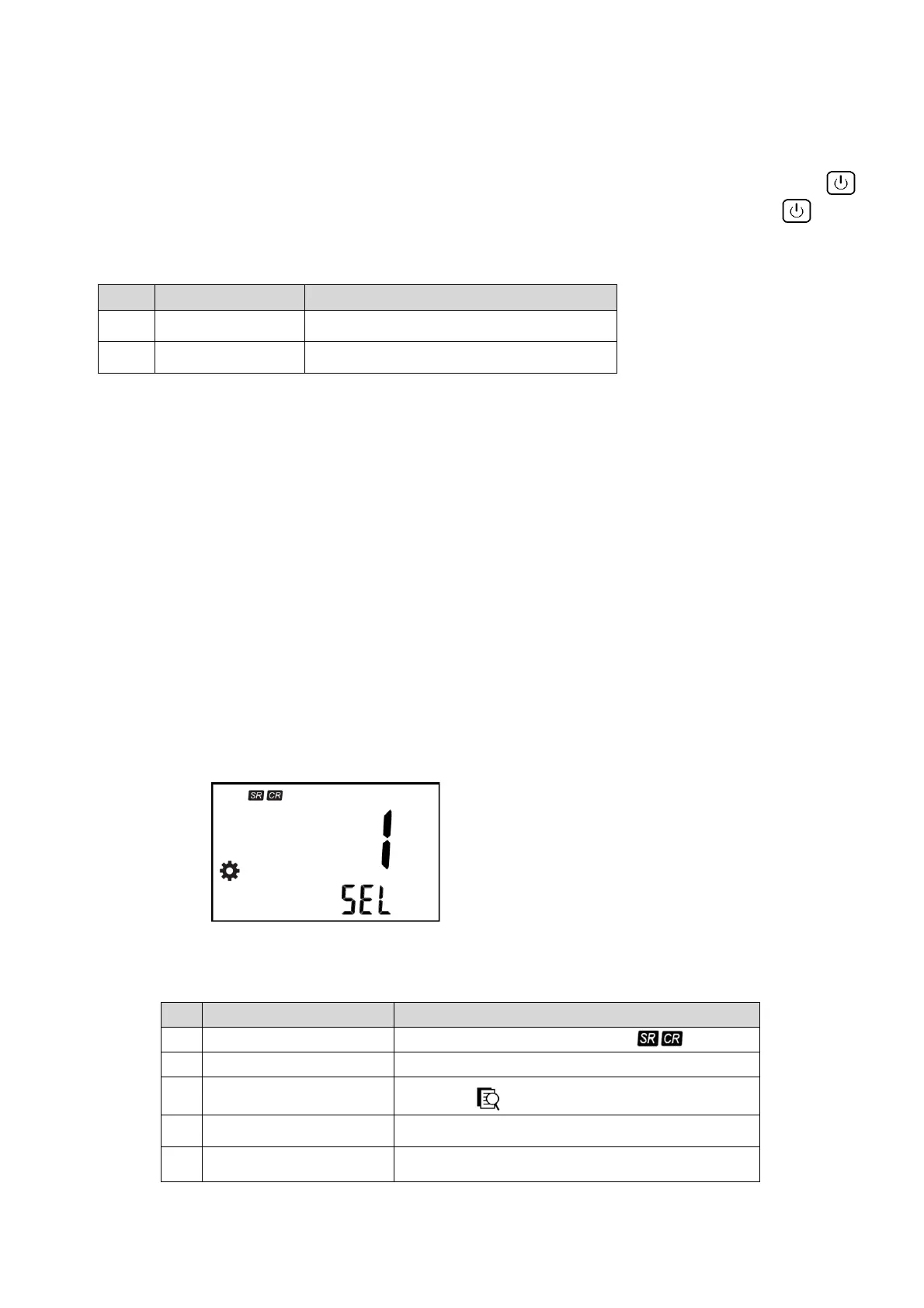
thestoredresults,settingtheautomaticswitch‐offtime,factoryreset,etc.Theuserpressesthe"Setting"key,themeter
willdisplaythesettinglogo,SELandserialnumber,theuserpressesupanddownkeytoadjust,presstheenterkeyto
select.
Fig.5‐3Settingfunctiondisplay
Table5‐4Setfunctionlistinthemeasurementstatus
No.
Explanation Note
1 ReadingModeSettings
Flashingdisplay
2 TemperatureSettings Flashingshow°C
3
Viewthedata Flashingdisplay
4 Automaticshutdownsettings
Flashingdisplay“APD”(AutoPowerDown)
5 Resetsettings
Flashingdisplay“rSt”(Reset)and“dFt”(Default)
5.3.2.1 ReadingModeSettings



 To Next Page