22
508.366.1488 | www.semshred.com
5.5 Remove Screen
1. Requires ½” deep socket
2. See page 10, skip steps 5 through 8.
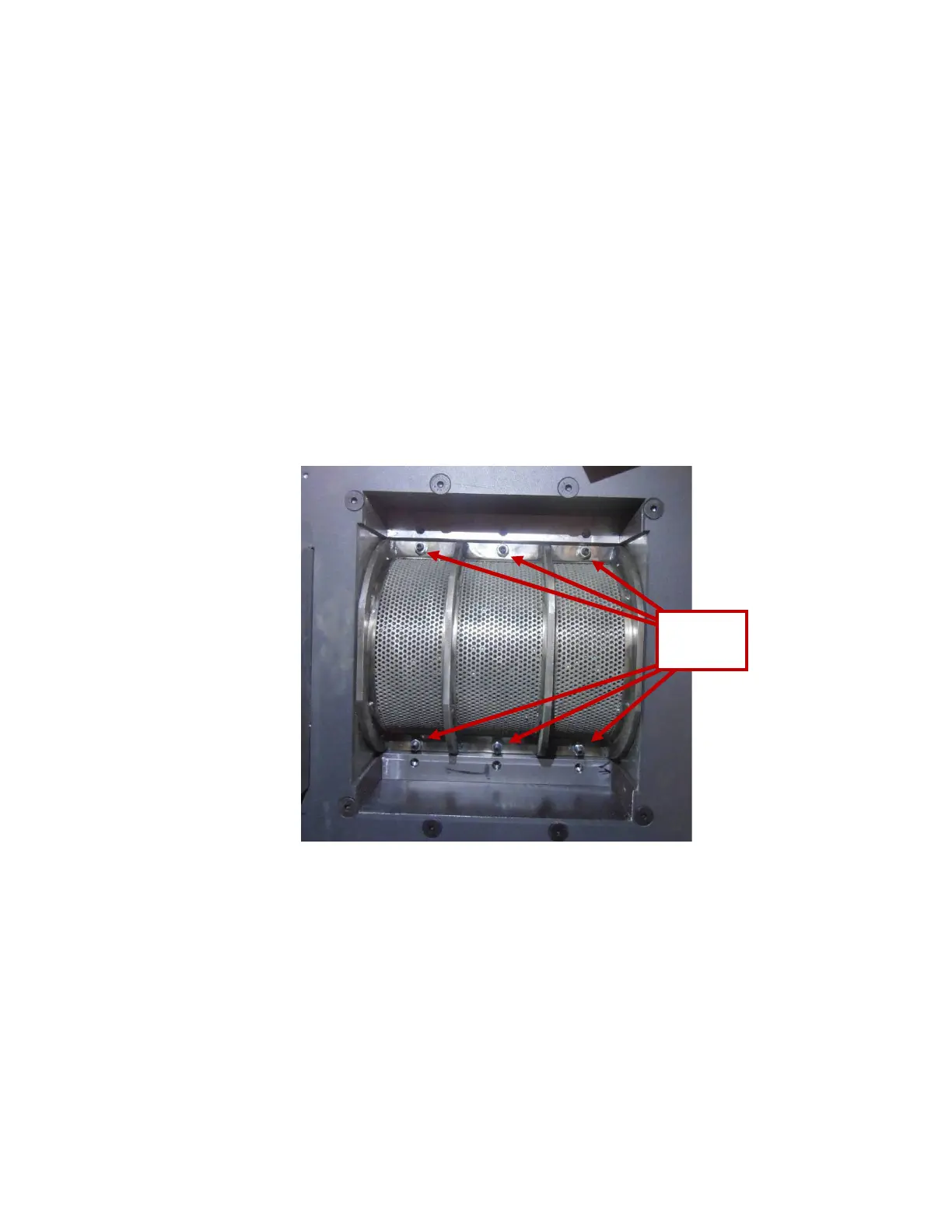
3. The screen will be exposed under the platform. Remove six 5/16-18 nuts from the screen, using a 1/2” deep
socket with extension and lower it carefully to not spill any remaining material.
4. Inspect screen for damage.
a. Note that material resting on the screen is not considered to be adequately destroyed.
b. Particle size integrity cannot be guaranteed if screen is damaged – contact manufacturer.
Caution: Material resting on the screen may fall through upon removal. Eye protection and gloves are
recommended as well as other PPE.


 To Next Page