11
On-screen Icons
The charger may show the following icons on the screen:
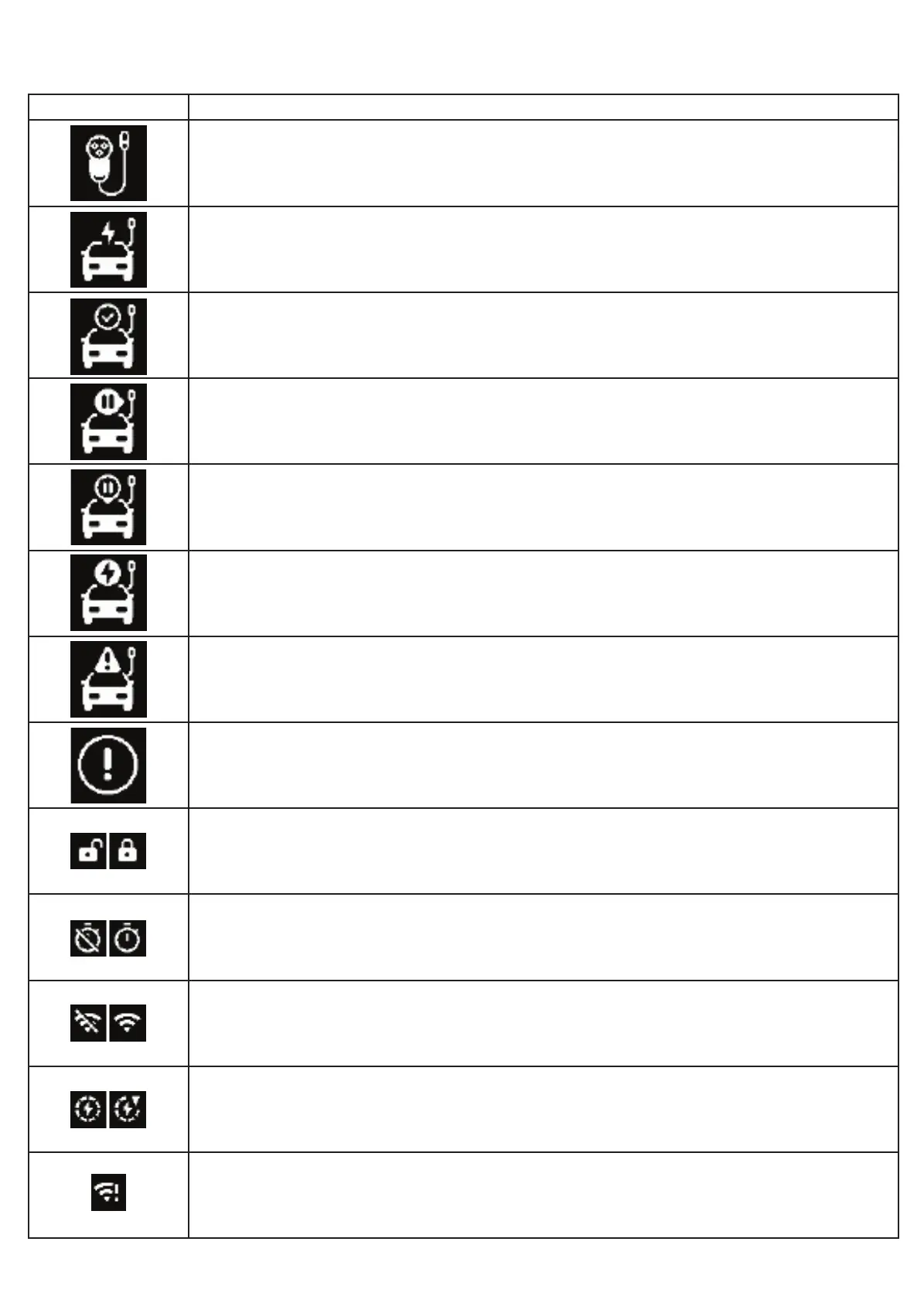
ICON MEANING
No vehicle is connected. Plug in to start a charge.
The vehicle is charging.
A vehicle has been plugged-in to the charger.
The charger has paused the charging session. This could indicate the charger is waiting for
a schedule to begin or the session has been stopped by the mobile application.
The vehicle has paused the charging session. This could indicate that a schedule has been
congured in the vehicle.
The vehicle battery is full.
There is a charging error reported by the vehicle.
There is an error reported by the station.
Access mode: Unlocked and Locked.
Schedule mode: Schedule is off or on.
Connected mode: Station is disconnected or connected to WiFi.
Reserved for future use.
There is an error connecting to WiFi.


 To Next Page