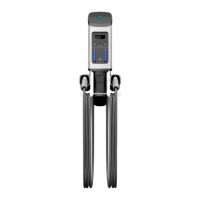
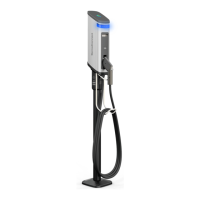
The SemaConnect Series 4 EV Home Charger is an electric vehicle charging station designed for residential use, offering both NEMA plug and hardwired installation options. This device is manufactured to meet the National Electrical Code (NEC) and Canadian Electrical Code (CEC) standards, as well as applicable local codes, ensuring safe and compliant operation.
Function Description:
The SemaConnect Series 4 EV Home Charger provides a means to charge electric vehicles at home. It is equipped with an internal Ground Monitor/Interrupter (GMI) circuit, which requires a reference to ground through a main bonding jumper or system bonding jumper for proper function. Without this neutral-to-ground connection, the GMI protection will not be possible, rendering the charger inoperable. The charger can be configured to operate at various amperage levels, with a default setting of 16 amps, and supports different access modes: Unlocked (default, charges immediately upon connection), Locked (requires authorization via the mobile app), and Scheduled (charges only during specified times). The device features LED lights and an on-screen display with icons to indicate its status, such as connection status, charging progress, battery full, and error conditions.
Important Technical Specifications:
- Power Source: Single phase 120/240 volt, bonded neutral power source.
- Wiring: All wire must be sized in accordance with the National Electric Code.
- Output Cable Length: 25 feet.
- Installation Options:
- NEMA 14-50 Plug Version: Requires a NEMA 14-50 receptacle, located 24-26 inches from the ground, with the ground terminal in either the upward '12 o'clock position' or downward '6 o'clock position'.
- Hardwired Version: Connects to a site-rated junction box using a supplied 3-foot manufactured cable and 3/4" Liquid Tight Flexible Metal Conduit (LFMC).
- Amperage Settings (Configurable):
- 16 AMPS (default setting)
- 24 AMPS
- 32 AMPS
- 40 AMPS
- 48 AMPS (Hardwired only)
- 50 AMPS (Hardwired only)
- Breaker Size Compatibility:
- 16 AMPS: 20 AMP 2-Pole Breaker (NEMA 14-50 Plug: YES, Hardwired: YES)
- 24 AMPS: 30 AMP 2-Pole Breaker (NEMA 14-50 Plug: YES, Hardwired: YES)
- 32 AMPS: 40 AMP 2-Pole Breaker (NEMA 14-50 Plug: YES, Hardwired: YES)
- 40 AMPS: 50 AMP 2-Pole Breaker (NEMA 14-50 Plug: YES, Hardwired: YES)
- 48 AMPS: 60 AMP 2-Pole Breaker (NEMA 14-50 Plug: NO, Hardwired: YES)
- 50 AMPS: 70 AMP 2-Pole Breaker (NEMA 14-50 Plug: NO, Hardwired: YES)
- Connectivity: WiFi for advanced features and mobile app integration.
Usage Features:
- Mobile App Integration: The SemaConnect mobile application (available on Apple App Store and Google Play Store) allows users to configure the charger, manage access modes (Unlocked, Locked, Scheduled), and connect to home WiFi.
- Charging Initiation:
- Unlocked Mode: Charging begins immediately upon connecting the vehicle.
- Locked Mode: Requires authorization via the mobile app to start charging.
- Scheduled Mode: Charging starts automatically during pre-set schedules.
- Charging Termination: Disconnect the vehicle from the charger to stop a charging session.
- Status Indicators:
- LED Lights:
- Steady Blue: No vehicle connected, plug in to start.
- Flashing Cyan: Vehicle connected but not charging (waiting for authorization or schedule).
- Flashing Green: Vehicle connected and charging in progress.
- Steady Green: Vehicle connected and charging complete.
- Steady Red: Charger error.
- On-screen Icons: Visual cues for various states including no vehicle connected, charging, vehicle plugged-in, charging paused (by charger or vehicle schedule), battery full, charging error, station error, access mode (Unlocked/Locked), schedule mode (off/on), and WiFi connection status.
- Configuration: The charger's power level can be adjusted, and it can be connected to a home WiFi network for additional features. Pairing with the mobile app involves inserting an Allen wrench into a small opening and briefly pressing a recessed button.
Maintenance Features:
- Cleaning: The charger should be cleaned by wiping it with a dry or slightly damp cloth. Avoid excessive pressure, opening the device, or using a vacuum cleaner.
- Firmware Updates: The mobile app can be used to check for and apply new firmware to add features or correct issues.
- Troubleshooting: A dedicated section in the manual addresses common issues, providing possible causes and resolutions.
- No light/screen icons: Check breaker, power, and wiring.
- Powered-on but not charging: Check battery level, vehicle/charger schedules, or locked mode.
- Mobile app issues (locked mode not working, changes not reflected): Check WiFi connection, network name, or password.
- Other Troubleshooting Steps:
- Power Cycle: Turn off at the breaker for 20 seconds, then restore power.
- Reconnect to Account: Delete the charger from the mobile app and repeat the configuration process.
- Factory Reset: Delete the charger from the mobile app, then use the supplied Allen wrench to press and hold the recessed button for 15 seconds. This removes account information and resets the device, requiring a re-configuration.
- Removal from Account: The charger can be deleted from the mobile application's settings section if no longer needed.


 To Next Page
 General