28
20S EVO
8.2 By Bluetooth Wireless Stereo
The Bluetooth audio device must be paired with the 20S EVO by
following the “Bluetooth Stereo Device Pairing” procedures described
in the section 5.3. The 20S EVO supports the Audio/Video Remote
Control Prole (AVRCP), so if your Bluetooth audio device also
supports the AVRCP, you can use the 20S EVO to remotely control
music playback. Not only can you adjust the volume but you can also
use the functions such as play, pause, next track and previous track. If
the Audio Multitasking feature is enabled, you can listen to the music
while having an intercom conversation.
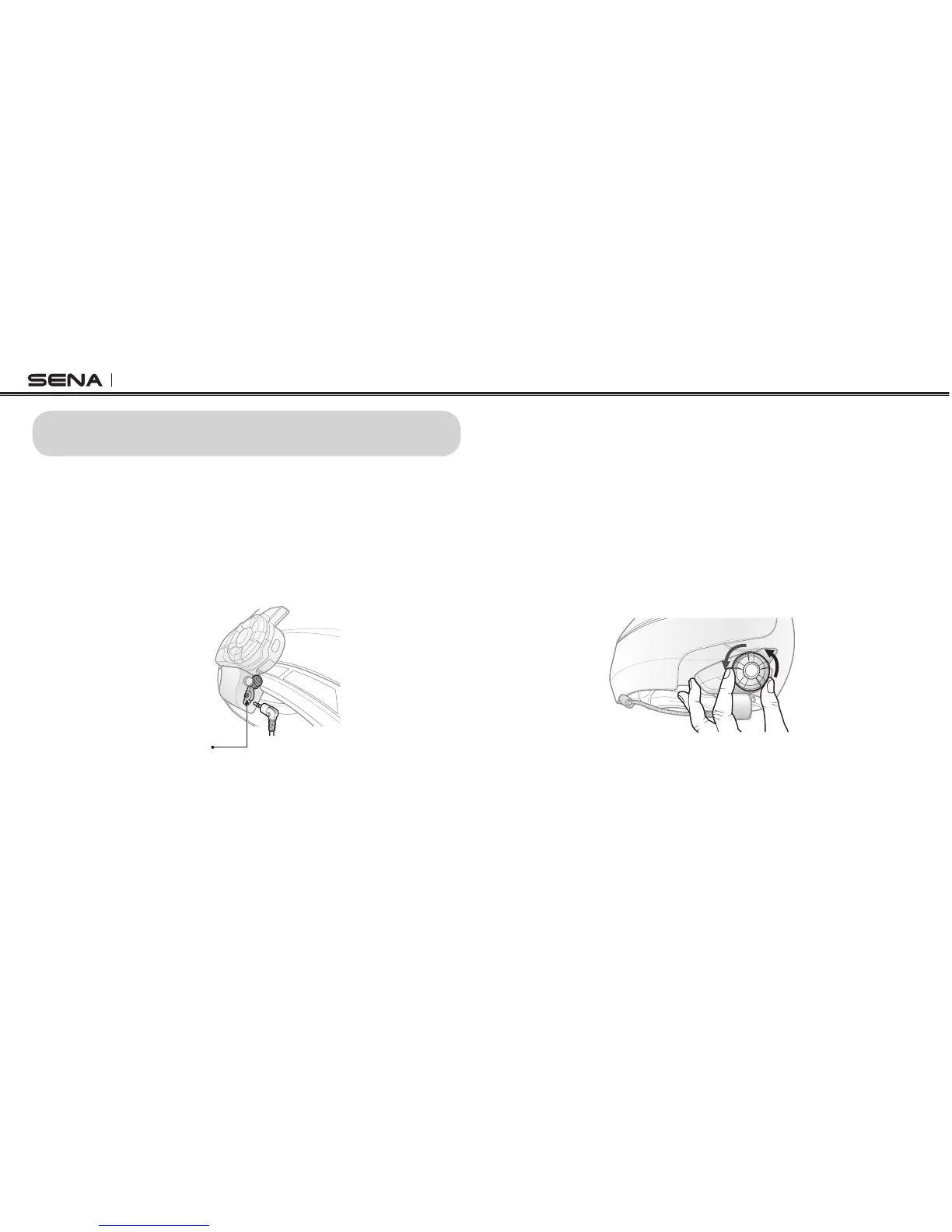
1. To adjust the volume, rotate the Jog Dial.
8 STEREO MUSIC
You can listen to stereo music in two ways: with the enclosed stereo
audio cable or by Bluetooth wireless stereo.
8.1 By Stereo Audio Cable
Plug your stereo MP3 player directly to the 20S EVO by using the enclosed
2.5mm to 3.5mm stereo audio cable. To adjust the volume, rotate the Jog
Dial on the headset. You may adjust the volume on the MP3 player also.
MP3 Port



 To Next Page