ACS10 Motorcycle Bluetooth
®
Communication System | 9
2 INSTALLING THE HEADSET ON YOUR HELMET
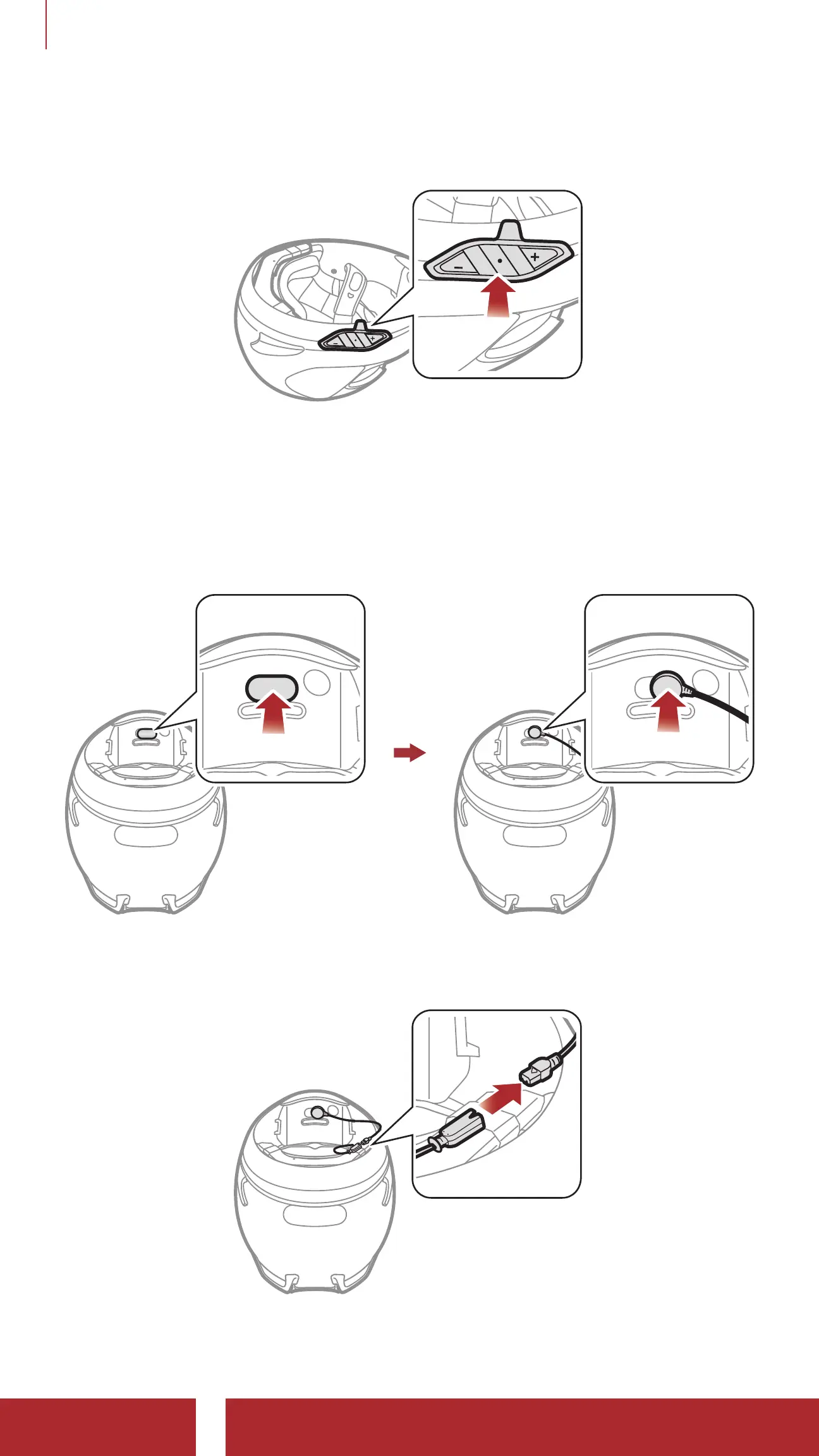
4. Peel off the cover of the adhesive tape of the headset buttons and
attach it to the helmet.
5. Peel off the cover of the adhesive tape of the hook and loop
fastener for microphone and attach it on the inside of the helmet’s
chin guard.
6. Attach the wired microphone on the hook and loop fastener and
insert the microphone cable into the microphone connector.
7. Align the arrows on the main unit and microphone cables and insert
the microphone cable into the microphone connector.


 To Next Page