ACS10 Motorcycle Bluetooth
®
Communication System | 8
2. INSTALLING THE HEADSET ON YOUR
HELMET
2.1 Installing the Headset
• The ACS10 is compatible with Arai Quantic Helmet.
1. Before you install the ACS10, remove the cheek pads and the
neckroll.
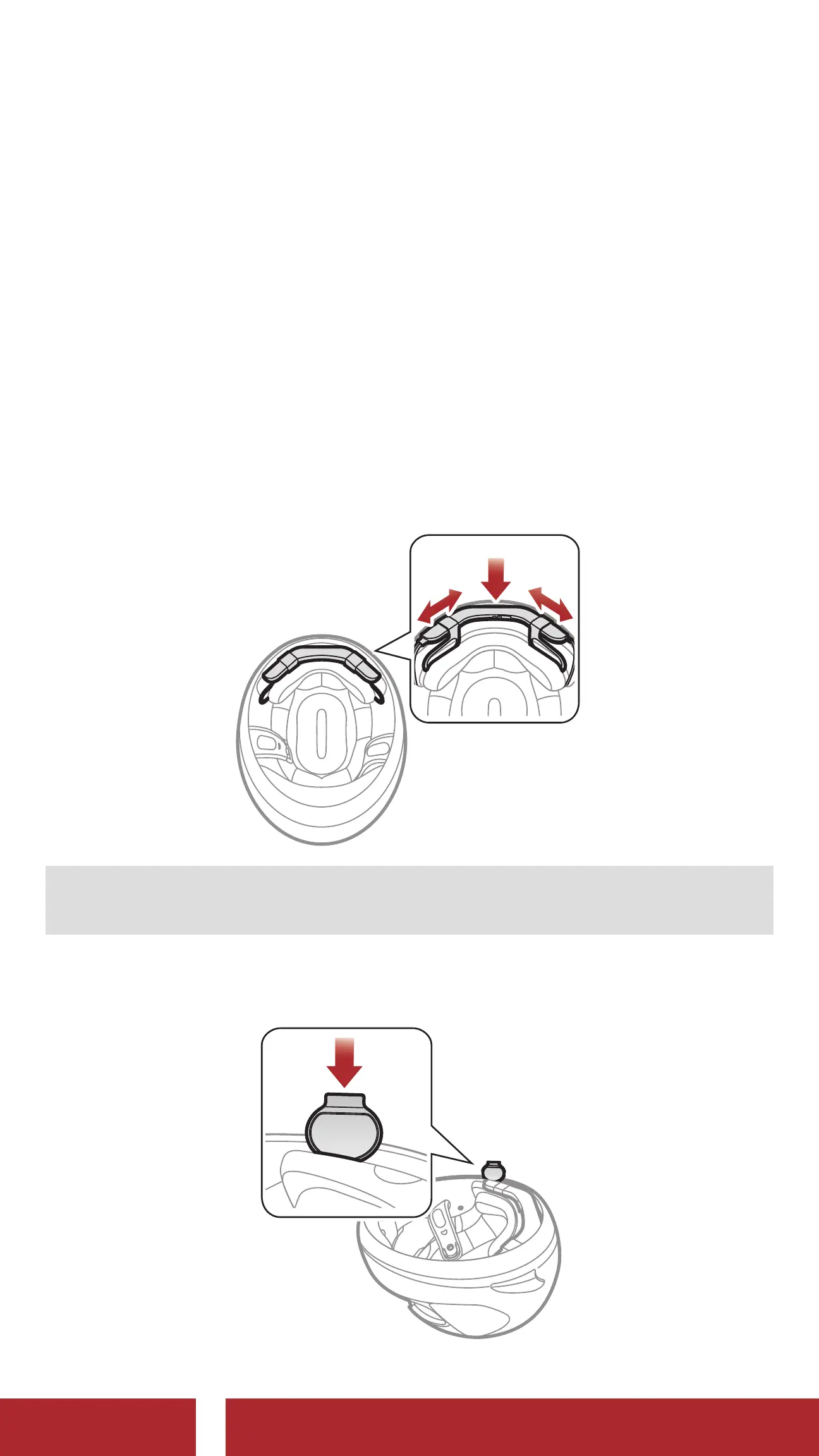
2. Insert the ACS10 between the external shell and the inner shell.
Align its snap holders with the rear snaps, then click them through
the snap holders.
Note: You can utilize hook and fasteners for the main unit to tightly
hold the main unit to the helmet.
3. Slide in the antenna between the external shell and the rear left
inner shell.
CHAPTER


 To Next Page