pi Bluetooth Communication Headset for Helmets | 6
2. INSTALLING THE HEADSET ON YOUR
HELMET
①
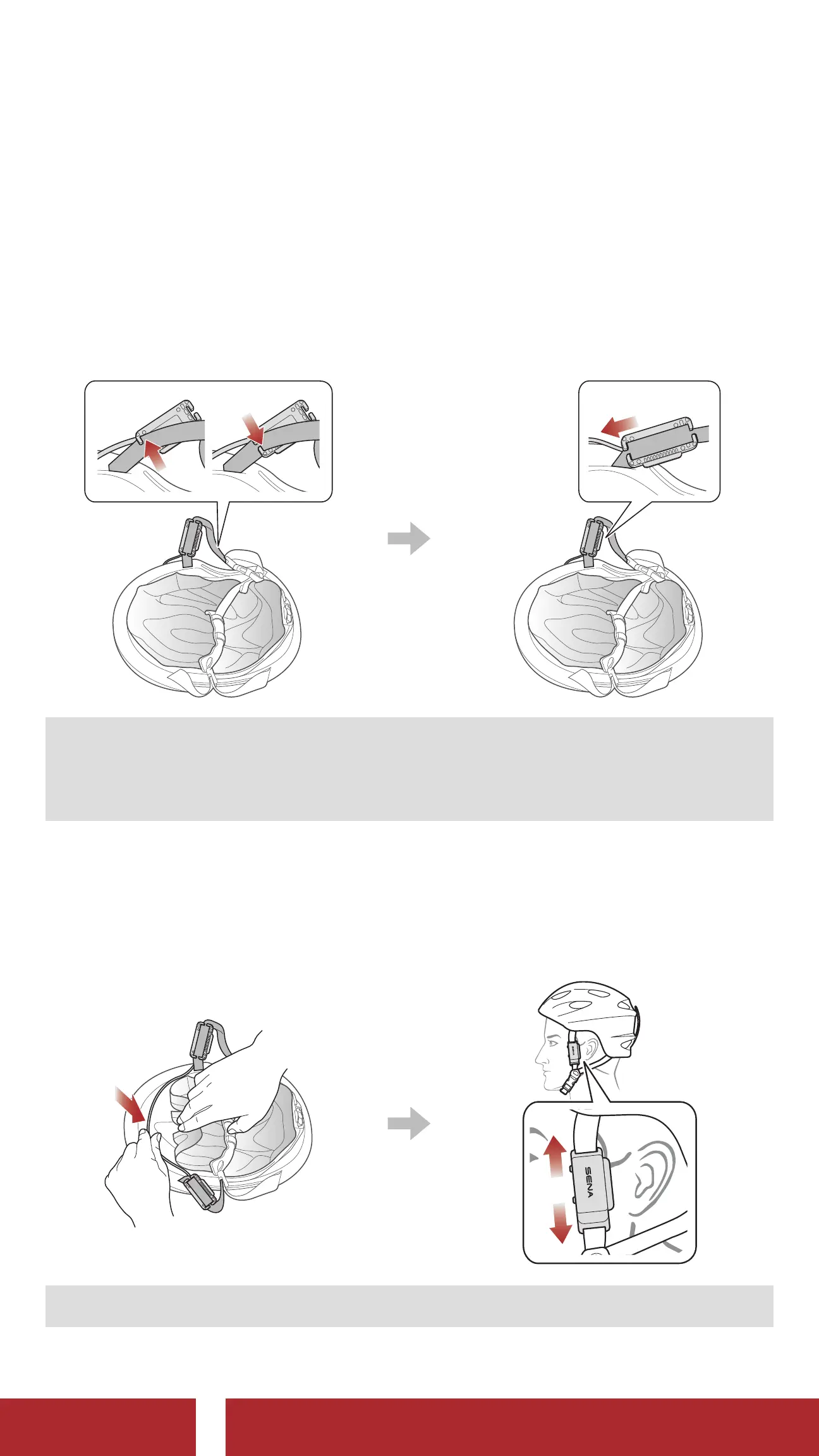
Secure the headset to the chinstrap using the strap hooks on both
sides.
②
Slide the headset as close to the helmet as possible.
1
2
Note:
• The (R) and (L) markings are located on the back of the headset.
• Make sure that the cable is facing toward the helmet.
③
Hide the cable under the inner pad in the front of the helmet.
④
Adjust the headset upward or downward so that the speakers are
facing your ears.
Note: The SENA logo will appear as above after proper installation.
CHAPTER



 To Next Page