pi Bluetooth Communication Headset for Helmets | 8
3 GETTING STARTED
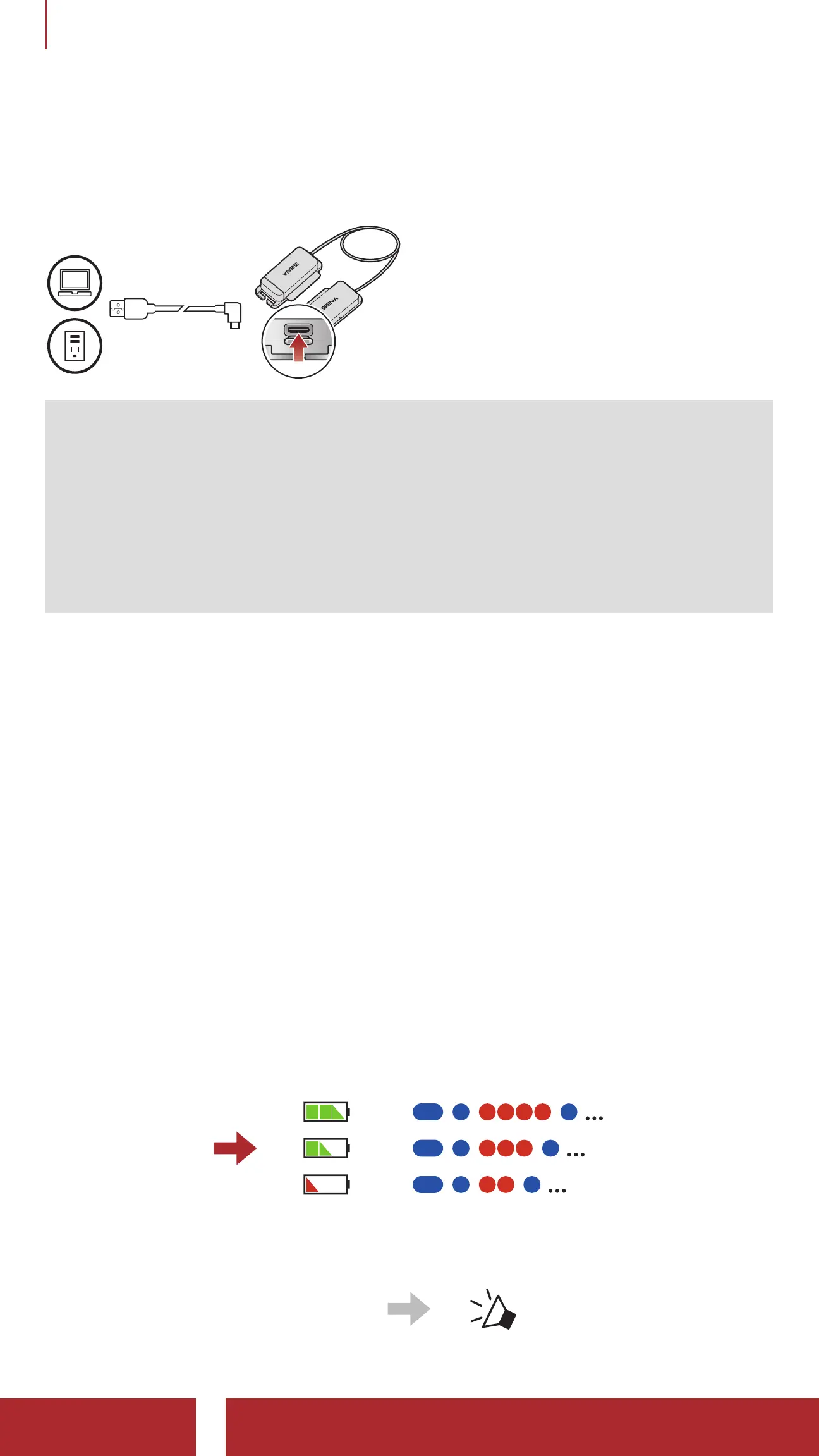
3.2 Charging
Charging the Headset
Depending upon the charging
method, the headset will be fully
charged in about 2.5 hours.
Note:
• Please make sure to take off your headset while charging. The
headset automatically turns off during charging.
• Any 3rd party USB charger can be used with Sena products if the
charger is approved by either the FCC, CE, IC or other locally
approved agencies that Sena accepts.
• The pi is compatible with 5 V input USB-charged devices only.
3.3 Powering On and Off
Powering On
• Press and hold the (+) Button and the (-) Button for 1 second.
Powering Off
• Tap the (+) Button and the (-) Button.
3.4 Checking the Battery Level
There are two ways to check battery level:
1) Visual Method
Powering On
=
=
=
2) Audible Method
• While the headset is on,
press and hold the (-) Button
for 3 seconds.
“ Battery level is high/
medium/low”



 To Next Page