12
MENU
05
MESH INTERCOM™
Mesh Intercom™ instantly provides effortless communication
between users without a pre-grouping process. Freely communicate
with virtually unlimited users in each of the 9 available channels.
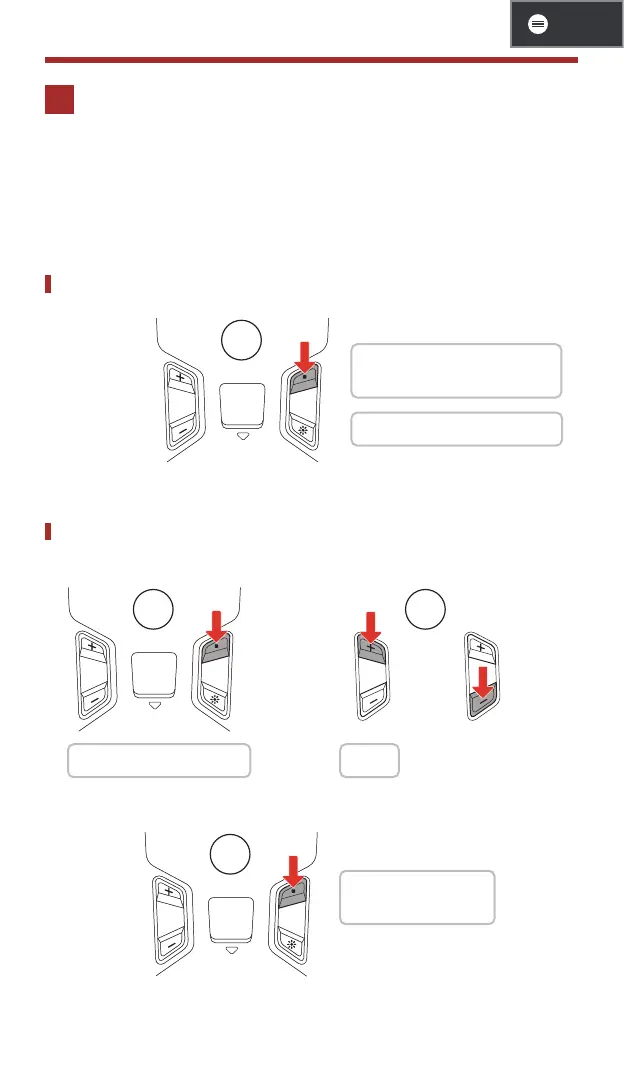
Mesh Intercom On/Off
1x
1 On: "Mesh intercom on,
channel 1"
1 Off: "Mesh intercom off"
Channel Setting
1. Enter into the Channel Setting.
2x
2. Navigate between channels.
1x
or
1 "Channel setting, 1" 1"#"
3. Save the channel.
1x
1 "Channel is set,
channel #"



 To Next Page