Need help?
Do you have a question about the SENAO SN-258 PLUS and is the answer not in the manual?
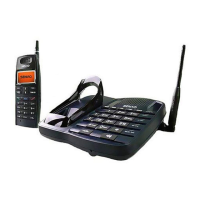
Details the controls and indicators on the base unit, including antenna, jacks, and indicators.
Identifies controls and indicators on the handset, such as antenna, receiver, keys, and indicators.
Describes the optional twin charger, including slots and indicators for charging.
Step-by-step guide to setting up the base unit, connecting antenna, phone line, and power.
Instructions for inserting the battery into the handset for operation and charging.
Steps for connecting the optional twin charger and understanding its battery indicators.
Explains how to charge the handset on the base unit or charger and interpret charging indicators.
Instructions for using the travel charger for an additional handset, including charging times.
Details the usage of the optional ear-microphone for answering calls and for Walkie-Talkie function.
Information on using the vehicle charger, its charging time, input voltage, and precautions.
Procedures for installing the optional outdoor antenna for improved range and quality.
Guide on powering the handset on and off using specific tones and button presses.
Steps for dialing phone numbers, initiating calls, and hanging up the handset.
Instructions for redialing the last dialed number, both in standby and during a call.
How to store and dial phone numbers from memory, including using PAUSE for PBX connections.
Methods for answering incoming calls, including picking up the handset or pressing a key.
Procedures for paging the base unit, all handsets, or specific handsets using intercom functions.
How to place a call on hold for intercom and resume it, including hang-up procedures.
Instructions for answering a second incoming call while on an active call, using call waiting service.
Guide to using the Walkie-Talkie function between handsets for communication.
How to initiate and participate in group calls using the Walkie-Talkie mode among multiple handsets.
How to adjust the ringer volume for both the base unit and the handset.
Instructions for adjusting the voice call volume for the base unit and handset.
Guide to choosing between Normal, Scrambler, and Voice Mutation modes for audio.
Steps to transfer an active call from one handset to another.
How to change the channel to avoid interference during a call.
How to check the current battery level of the handset using the LED array.
Configuring parameters for the base unit, such as pause duration and dialling mode.
Configuring handset-specific features like ID, ring mode, and stand-by time.
Step-by-step process for registering a new handset with the base unit.
Instructions for removing a previously registered handset from the system.
How to view the ID number of a handset using the LED array.
Verifying system parameters like handset ID and max registered handsets.
Common issues and checks for when the phone fails to operate.
Solutions for when the handset does not ring, checking line and ring mode.
Addressing problems with interference, static, and audio quality during calls.
Guidance on setting up a system with multiple base units.
 General
| Brand | SENAO |
|---|---|
| Model | SN-258 PLUS |
| Category | Cordless Telephone |
| Language | English |

 To Next Page