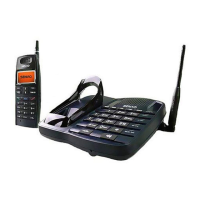
If you have difficulty operating on your phone, the suggestions
should solve the problem. If you still have difficulty after trying these
suggestions, please call your local SENAO service station for further
assistance.
1. Check the installation (P. 8~P.14)
2. Make sure the power cord is plugged in.
3
4. Is the handset power on?
Send all the base units and the handsets to your local SENAO service
station for setting this system.
below
A. The Phone does not work......
. Is the handset battery fully charged?
B. The handset does not ring......
1. Make sure the telephone line cord is plugged firmly into the base unit
and the telephone jack.
2. You may be too far from the base unit.
3. Check the ring mode for the handset (P. 29).
C. Interference, static, sound cuts in/out, fades......
1. Is the telescopic antennas of the base unit and the handset fully
extended?
2. Move closer to the base unit.
3. Press FUNC # to change the channel.
D. How to build multi-base units system?
Troubleshootings
33-EN


 To Next Page