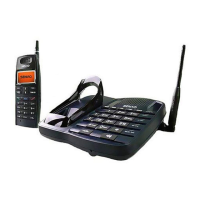
(4) Handset: To end the Walkie-Talkie and resume the call, press .
To end the Walkie-Talkie and resume the intercom, press
.
To end the Walkie-Talkie and hang up, press .
2. Walkie-Talkie among the base unit and all the handsets (paging all the
handsets from the base unit)
(1) Base unit: While in stand-by, press and hold INT-COM for 2
seconds and all the handsets ring for 30 seconds.
To stop paging, press INT-COM again.
(2) Any handset: Press any key except to answer and enter the
Walkie-Talkie mode.
(3) Base unit: Speak to the microphone.
Handset : Press and hold PTT key to talk.
Release PTT key to listen.
(4) Base unit: To end the Walkie-Talkie, press and hold INT-COM for
2 seconds.
Handset: To end the Walkie-Talkie and resume the call, press .
To end the Walkie-Talkie and resume the intercom, press
.
To end the Walkie-Talkie and hang up, press .
3. The user of third or more handsets can join the group call with
walkie-falkie mode.
Press or to join the Walkie-Talkie.
A confirmed tone " SO-SO-DO" sounds.
4. The base unit can join group call also.
To join the Walkie-Talkie, press INT-COM .
A confirmed tone " SO-SO-DO" sounds.
To release the Walkie-Talkie, press INT-COM again.
A release tone "DO-DO-SO" sounds.
5. If all of users in this mode don't press PTT key to talk more than 4
minutes, warning beeps will sound and this mode will be ended.
21-EN


 To Next Page