EW-DX EM 2 rack receiver
98
Displays on the receiver’s display panel
Status information such as frequency, reception quality, bat-
tery status and audio level is shown on the display.
The display also shows the operating menu, which you can use
to configure all of the settings (see „Buttons for navigating the
menu“).
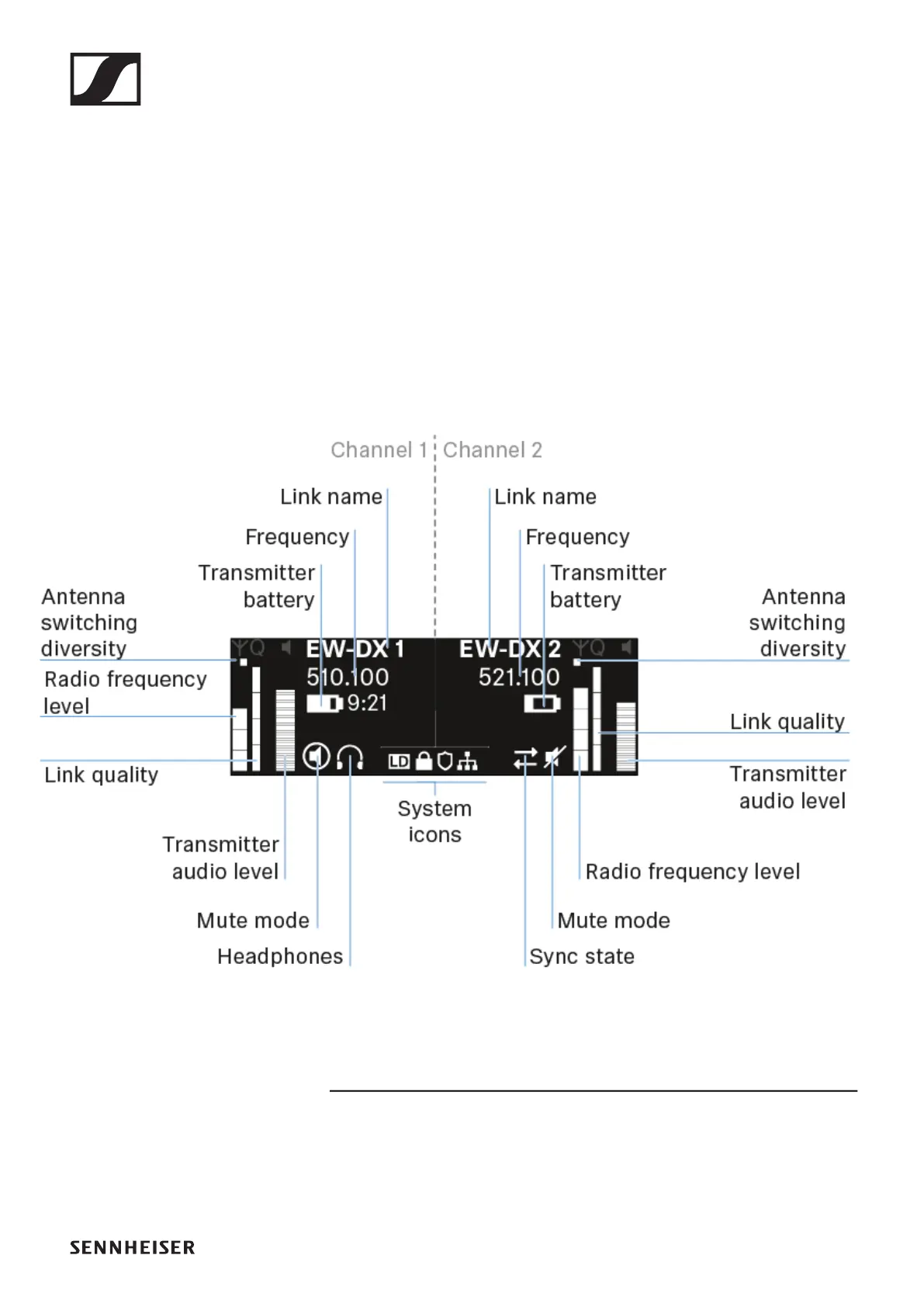
Home screen
The home screen is the default view on the display. The follow-
ing information for both receiving channels is displayed here.
Further information
Antenna switching diversity:
Indicates which of the two antennas is currently active (left or
right).













 To Next Page