Product overview
10
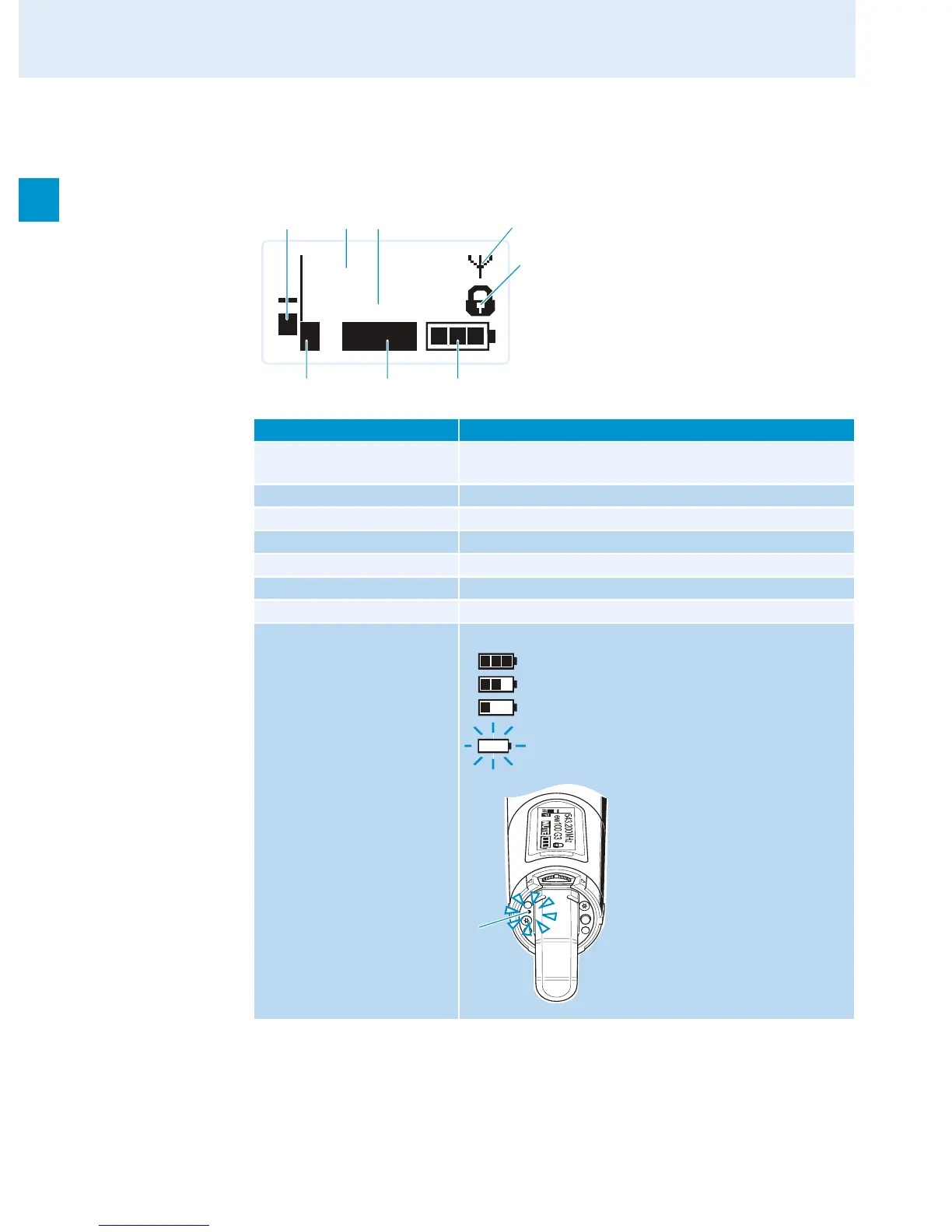
Overview of the displays of the SKM 100 radio microphone
After switch-on, the radio microphone displays the standard display “Frequency/Name”.
For further illustrations and examples of the different standard displays, refer to 24.
The display backlighting is automatically reduced after approx. 20 seconds.
Display Meaning
햲 Audio level “AF” Modulation of the radio microphone with peak hold
function
햳 Frequency Current transmission frequency
햴 Name Freely selectable name of the radio microphone
햵 Transmission icon RF signal is being transmitted
햶 Lock mode icon Lock mode is activated
햷 “P” (Pilot) Pilot tone transmission is activated
햸 “MUTE” Audio signal is muted
햹 Battery status Charge status:
MHz
543.200
ew100 G3
MUTE
P
AF
햳 햴
햲
햶
햵
햹햸햷
approx. 100%
approx. 70%
approx. 30%
Charge status is critical,
the red LOW BATT LED 쐎 is flashing:
쐎













 To Next Page