Using the devices
19
To activate the RF signal:
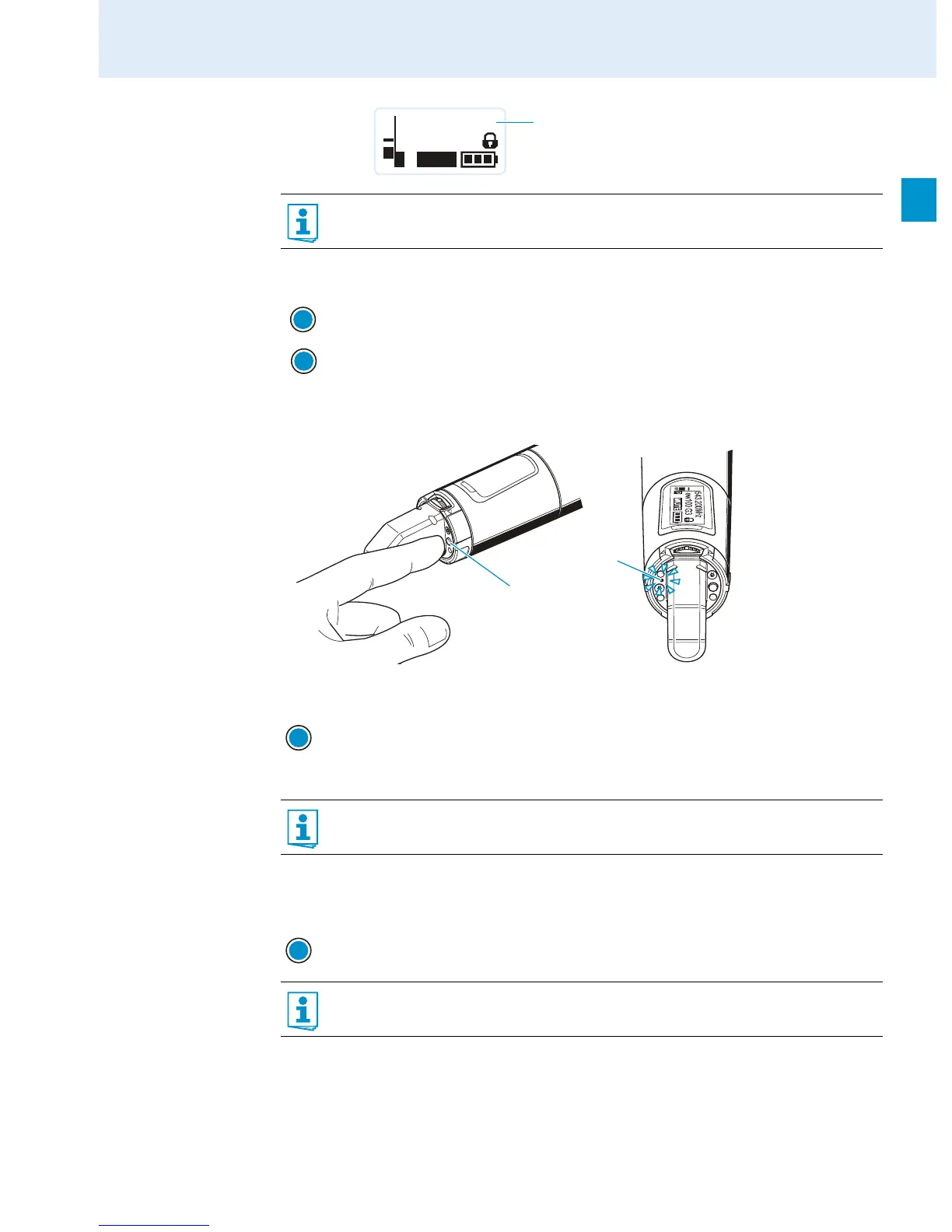
SKM 100 radio microphone
To switch the radio microphone on (online operation):
To switch the radio microphone off:
If necessary, deactivate the lock mode (see page 21).
Use this function to save battery power or to prepare a bodypack transmitter for use
during live operation without causing interference to existing transmission links.
Briefly press the ON/OFF button 씈.
“RF Mute Off” appears on the display panel.
Press the SET button 쐆.
The transmission icon 햵 is displayed again.
Briefly press the ON/OFF button 쐉.
The radio microphone transmits an RF signal. The transmission icon 햵 is displayed.
The red ON LED 쐎 lights up and the standard display “Frequency/Name” appears
on the display panel.
You can switch the radio microphone on and deactivate the RF signal on switch-on.
For more information, see below.
Press the ON/OFF button 쐉 until “OFF” appears on the display panel. The red
ON LED 쐎 goes off and the display panel turns off.
When in the operating menu, pressing the ON/OFF button 쐉 will cancel your entry
(ESC function) and return you to the current standard display.
MHz
543.200
ew100 G3
MUTE
P
AF
햵
ON/OFF
SET
쐎
쐉
ON/OFF
ON/OFF













 To Next Page