Using additional functions
34 | Set 860
Switching between stereo and mono operation
With certain sound recordings, voice or audio signals are
recorded on one channel only (right or left stereo channel).
This can result in a loss of individually recorded voices or
instruments, especially when you have changed the balance
setting.
In order to avoid this effect, you can switch between stereo
and mono operation.
This setting is saved on the transmitter, independent of the
stethoset receiver you are using.
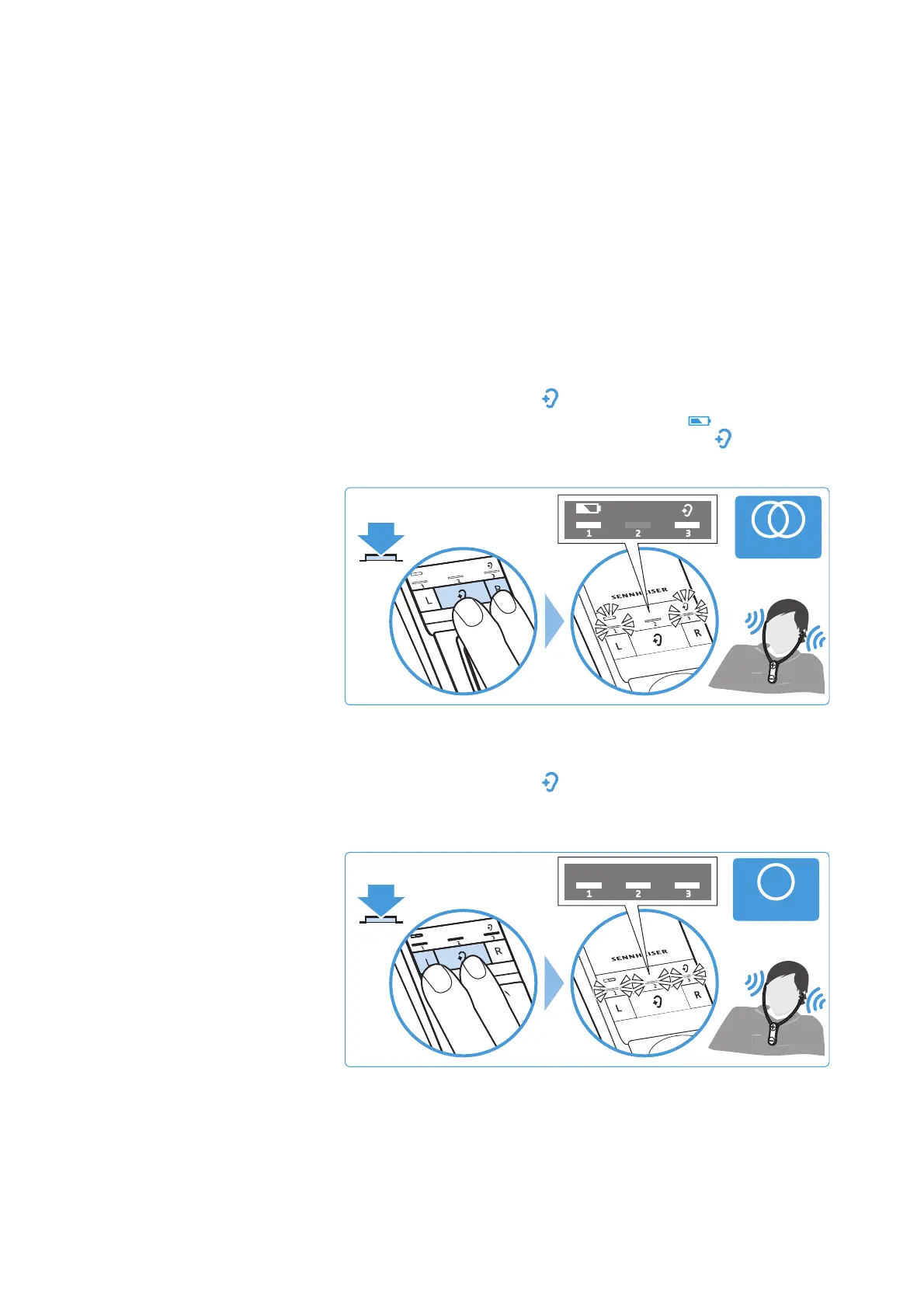
Activating stereo operation
b Simultaneously press the balance button R (right) and the
Hearing profile
button on the transmitter for 2 seconds.
The LED segment 1 and the
Battery
LED as well as the
LED segment 3 and the
Hearing profile
LED light up for
10 seconds. Stereo operation is activated.
Activating mono operation
b Simultaneously press the balance button L (left) and the
Hearing profile
button on the transmitter for 2 seconds.
The LED segments 1, 2 and 3 light up for 10 seconds. Mono
operation is activated.














 To Next Page