Using additional functions
Set 860 | 35
Advanced settings
The advanced settings allow you to adjust the wireless head-
phone system to your individual needs and to protect the set-
tings against accidental changes.
Activating the protected
settings mode
You can change the advanced settings by activating the pro-
tected settings mode:
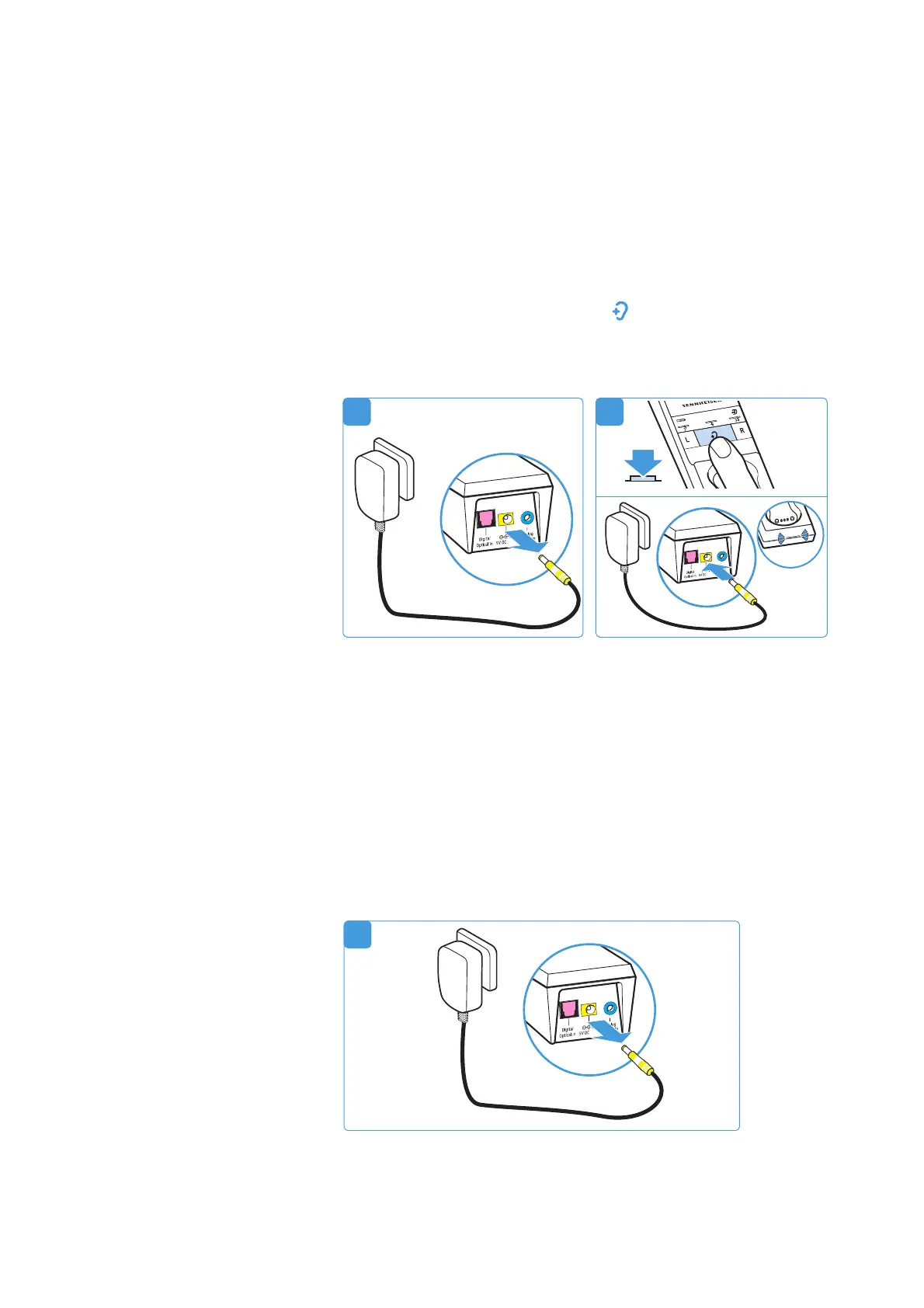
1 Disconnect the transmitter from the power supply system
by unplugging the connector of the power supply unit.
2 Keep the
Hearing profile
button pressed and connect the
transmitter to the power supply system by connecting the
connector of the power supply unit to the yellow socket of
the transmitter.
The protected settings mode is activated. The
Transmitter
status
LED flashes blue. The LED segments indicate the cur-
rent settings as specified in the following chapters:
• battery status display (see page 36)
• charging reminder function (see page 36)
• settings protection function (see page 37)
Deactivating the protected
settings mode and saving
the advanced settings
To save the advanced settings and to deactivate the protected
settings mode:
3 Disconnect the transmitter from the power supply system
by unplugging the connector of the power supply unit.
21
1
A
1A














 To Next Page