Chapter 4: Communications Programming
57
%XAMPLE
4ELEPHONEANSWERINGDEVICERINGS
-ODEL2INGS5NTIL!NSWER
5SINGTHEPROCEDUREJUSTOUTLINEDALLINCOMINGCALLSWILLBE
answered by the telephone answering device, allowing it to
OPERATENORMALLY7ITHTHEPROGRAMMINGJUSTACCOMPLISHEDTHE
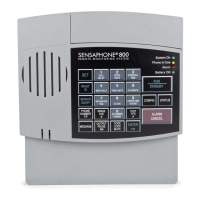
Model 800 can be accessed remotely, by telephone, to obtain the
3TATUS2EPORT
1. Dial the telephone number of the Model 800.
2. Let the telephone ring once and then hang up.
7AITAPPROXIMATELYTENSECONDS
4. Call the Model 800 back.
It will answer the telephone on the first ring.
%XPLANATION4HEPATTERNOFONERINGFOLLOWEDBYASECOND
CALLWITHINSECONDSSIGNALSTHE-ODELTOANSWERYOUR
incoming call, bypassing the telephone answering device.
NOTE
Special Case: If the Model 800 shares the same line
with a telephone answering device, and during certain
TIMEPERIODSFREQUENTINCOMINGCALLSAREEXPECTED
on that line, then you may want to temporarily dis
ABLETHE4!$FEATURE)FYOULEAVETHE4!$ENABLED
it will not adversely affect normal operation, but if
two outside telephone calls are received within the
SAMESECONDTIMEWINDOWTHE-ODELWILL
interpret this pattern as a signal to answer the tele
phone. If this occurs, press any key on the Model 800
to hang up.
1R7$',Q8VH
If a telephone answering device is not used on the same telephone
LINEASTHE-ODELMAKESURETHATTHE4!$FEATUREIS
DISABLEDORTURNEDOFF/NLY2INGS5NTIL!NSWERPROGRAMMING
WILLDETERMINEHOWINCOMINGCALLSAREANSWERED&OREXAMPLE
IFYOUPROGRAM2INGS5NTIL!NSWERTOINCOMINGCALLSWILLBE
answered in 3 rings.


 To Next Page