Sensaphone
®
Model 800 User’s Manual
70
&OREXAMPLEIFAMAGNETICREEDSWITCHANORMALLY
CLOSEDSENSORUSEDTODETECTUNAUTHORIZEDENTRYHAS
been wired to the Model 800, make sure that the door
or window to be monitored is shut before configuring
THEZONE)FAMOTIONDETECTORISWIREDTOTHEUNITIT
is advisable to block all sources of motion from the
sensor before and during configuration.
3URJUDPPLQJ=RQH&RQILJXUDWLRQ
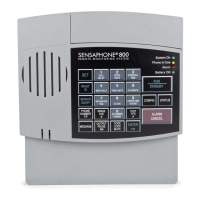
0RESS34!.$"9TOPLACETHE-ODELIN3TANDBY
mode.
RUN
STANDBY
7IRESENSORSTOTHEZONESTOTHEBACKOFTHE-ODELSEE
#HAPTER3ECTION
0RESS25.4HEREDLIGHTGLOWSWHENTHE-ODELRETURNS
TO2UNMODE
RUN
STANDBY
0RESS3%4
SET
0RESS#/.&)'
CONFIG
4HE-ODELAUDIBLYRECITESTHECONFIGURATIONFOREACHOF
the eight zones:
s )FTHEZONEIS open, the Model 800 recites the number of the
zone and says “normally open.”
s )FTHEZONEIS closed, the Model 800 recites the number of
the zone, and says “normally closed.”
s )FTHEZONEISCONFIGUREDAS temperature, the Model 800
recites the number of the zone, followed by “Temperature.”


 To Next Page