Need help?
Do you have a question about the Sensi ST55 and is the answer not in the manual?
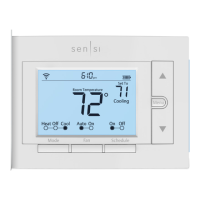
Indicates battery level; prompts replacement when low.
Accesses thermostat configurations.
Toggles the schedule On or Off.
Switches system mode between Heat, Cool, Off, or Aux.
Explains how to switch between heating, cooling, and off modes.
Instructions for disabling the Wi-Fi radio on the thermostat.
Steps to manually set the time on the thermostat when not connected to Wi-Fi.
Procedure for setting a basic 7-day schedule with mandatory set points.
Definitions for terminal labels and their corresponding functions.
 General
| Model | ST55 |
|---|---|
| Category | Thermostat |
| Connectivity | Wi-Fi |
| Energy Savings | Energy Star certified |
| Warranty | 3-year limited warranty |
| Compatibility | Works with most HVAC systems |
| Display | LCD display with backlight |
| Power Source | C-wire required for most systems; optional battery power |
| Temperature Control | Precise temperature control |
| Installation | DIY installation |
| Stages | multi-stage |
| Programmability | 7-day scheduling via app or thermostat |
| Alerts | High/low temperature alerts, loss of connectivity alerts |


 To Next Page