MT3401E.doc rev.0 21/05/13 Pagina 22 di 86
2.3) TCP/IP optional module
Via an optional interface, to be connected to the RS232 port, it is possible to connect
the panel on a LAN/WAN network with TCP/IP protocol. By this type of connection, the
following features are possible:
Remote modification of the control panel settings, by the configuration software
(chapter 4 of the manual)
Remote management of the control panel, via third parties supervising software,
by using the Modbus protocol
Remote management of the control panel, via a supervising software made by
Sensitron (future availability)
For technical features and use of TCP/IP module, please consult the product
documentation.
3) SYSTEM POWER UP AND OPERATION
The chapter explains the procedures for the operation, the commissioning and the
maintenance of the control unit MULTISCAN++S1
For the programming of the MULTISCAN++S1 control panel the PC software is
required.
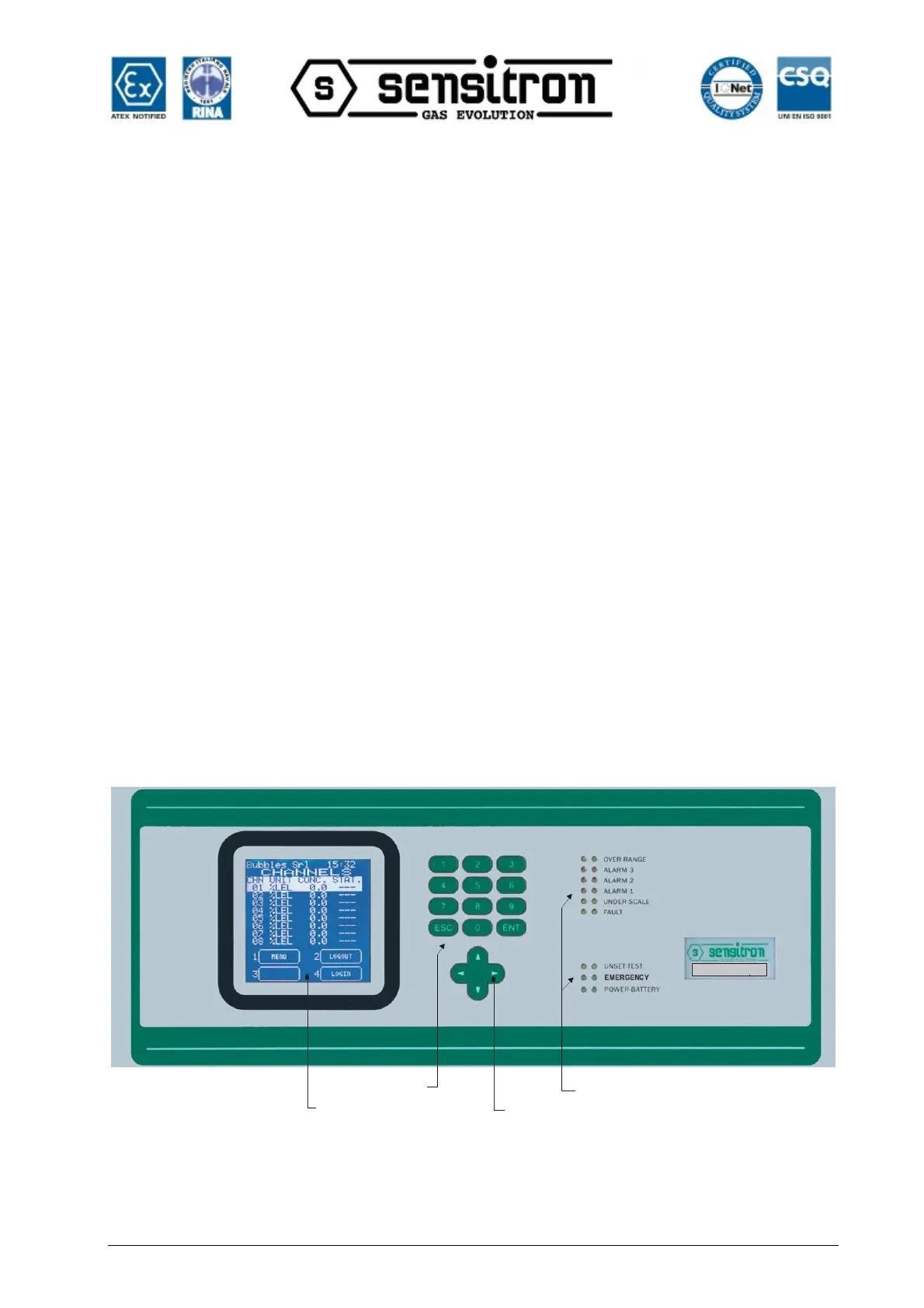
Display
Numerical
keypad
Arrow
Keypad
Status
Led
Pannello frontale centrale / Unit front panel
MULTISCAN++PK32
Fig. 3) Control unit front panel



 To Next Page