MT3401E.doc rev.0 21/05/13 Pagina 70 di 86
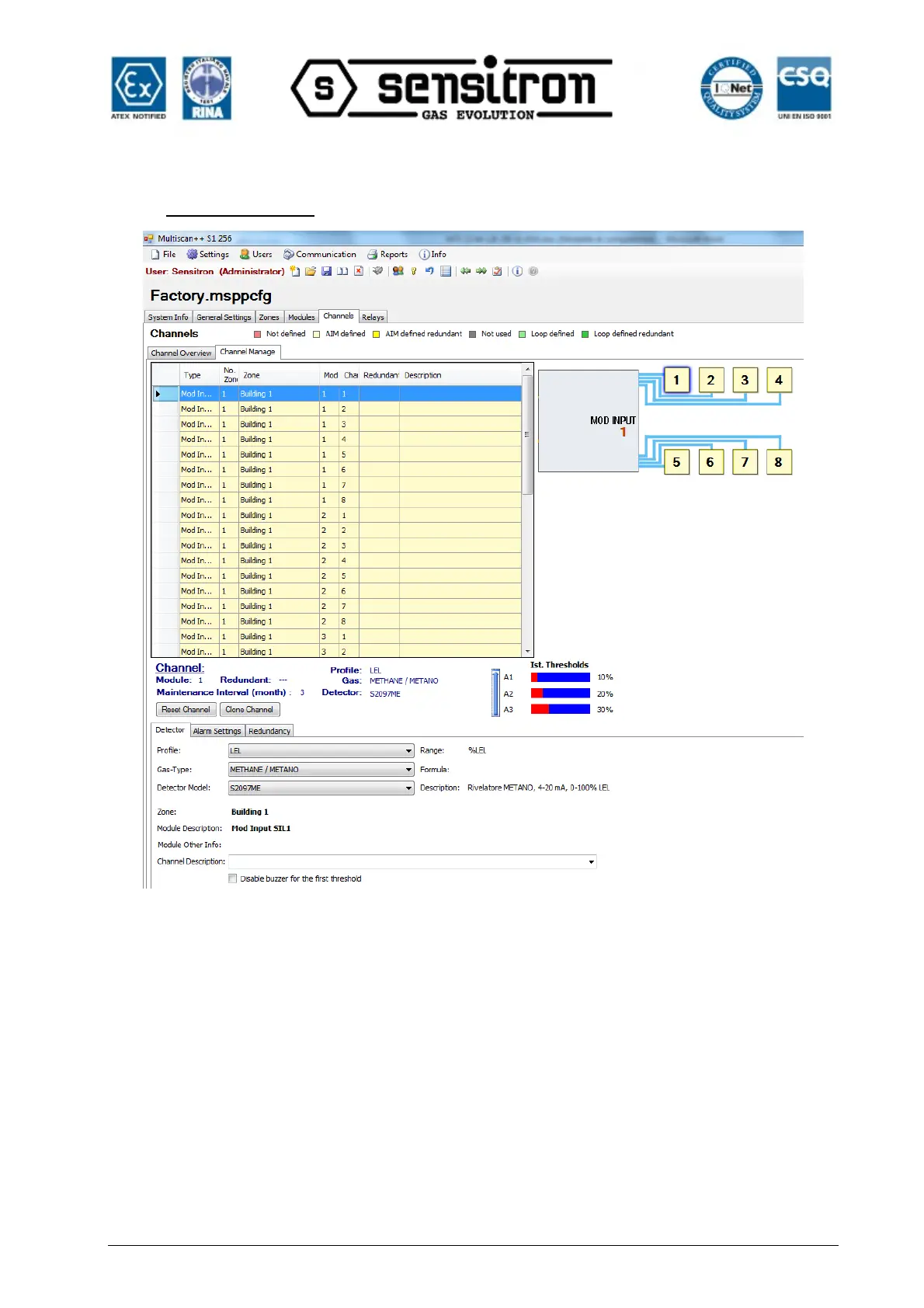
Channel Manage
Fig. 4.5.5 c) Channel details screen
Specifying a new input-channel
An input channel is specified by the combination of three different drop down lists.
1) The “Profile” specifies the measurement task, related to the gas. e.g. LEL
Related to the profile are rules for the setting options for the related channels. Therefore
the menus and windows related to the management of input channels may look slightly
different related to the chosen profile. Of course the chosen “Profile” must match the
gas detector type connected to the input. e.g, if a ME (Methane) gas detector is
connected to the input, the right “Profile” will be LEL.



 To Next Page