MT3401E.doc rev.0 21/05/13 Pagina 80 di 86
Voting Function
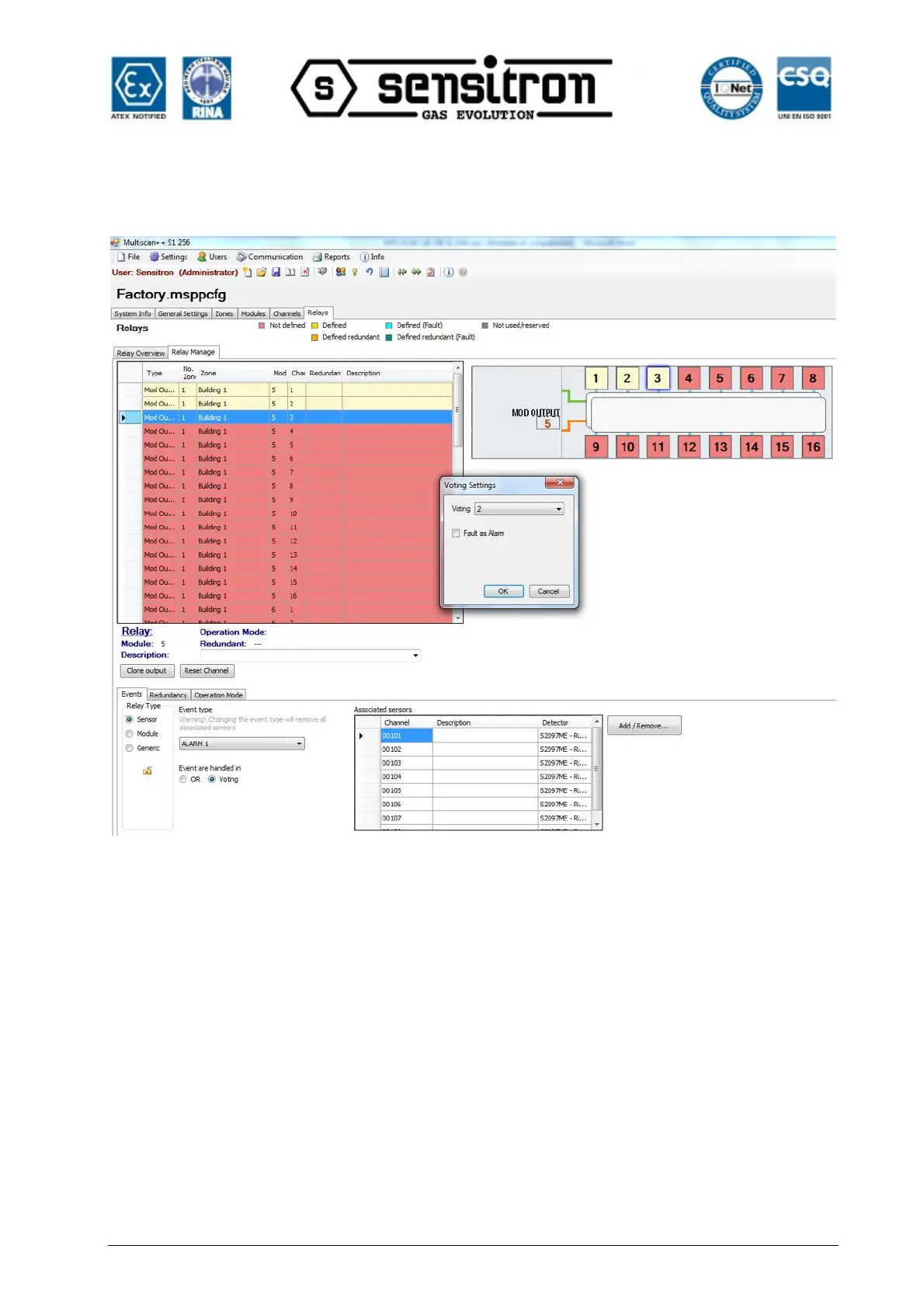
Fig. 4.5.6 l) Output events details screen: VOTING combination
After associating the output (sensors) to the respective channels choose the Voting
(And) option. The “Voting Setting” window will appear in the middle of the monitor.
Select the number (quantity) of the events that have to activate contemporaneously in
order to activate the selected output.
E.g. By setting 2, at least 2 events associated to the output and present in the
associated sensors window will be necessary to activate the output.
By selecting the “Fault as Alarm” tick, if one of the sensors associated to the output will
be in Fault mode, it will be considered as Alarm and one event less will be enough to
activate the output.



 To Next Page