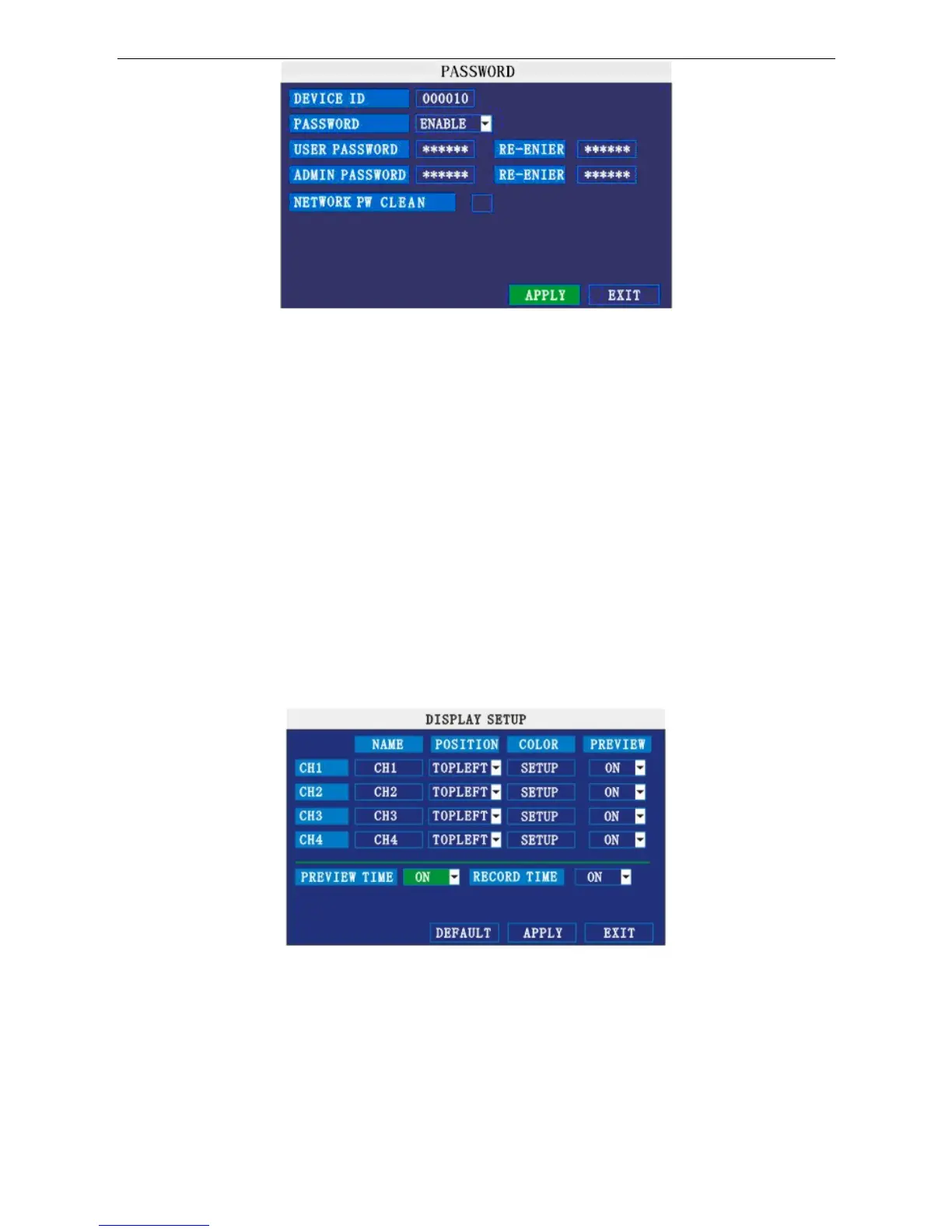
DEVICE ID: Press number key to setup the ID
PASSWORD: Press 【APPLY】 to start or close the user password. If it shows “ENABLE”, you have to
input the password when logging in, otherwise, you can access main menu directly.
USER PASSWORD: Press number key to setup.
ADMIN PASSWORD: Press number key to setup.
NETWORK PW CLEAN: Select and apply will
initialize the IE browser password .
9. DISPLAY SETUP
Move the cursor to 【BASIC SETUP】 (Icon highlighted when selected), press 【Enter】 to enter into the
setting interface.
NAME: Press 【Enter】 to enter into the setting interface.
POSITION: Name location is optional. You can press 【Enter】 to switch from bottom left, top left, bottom
right, top right and OFF.
COLOR: Press 【Enter】 to enter into setting interface as follow:
15


 To Next Page