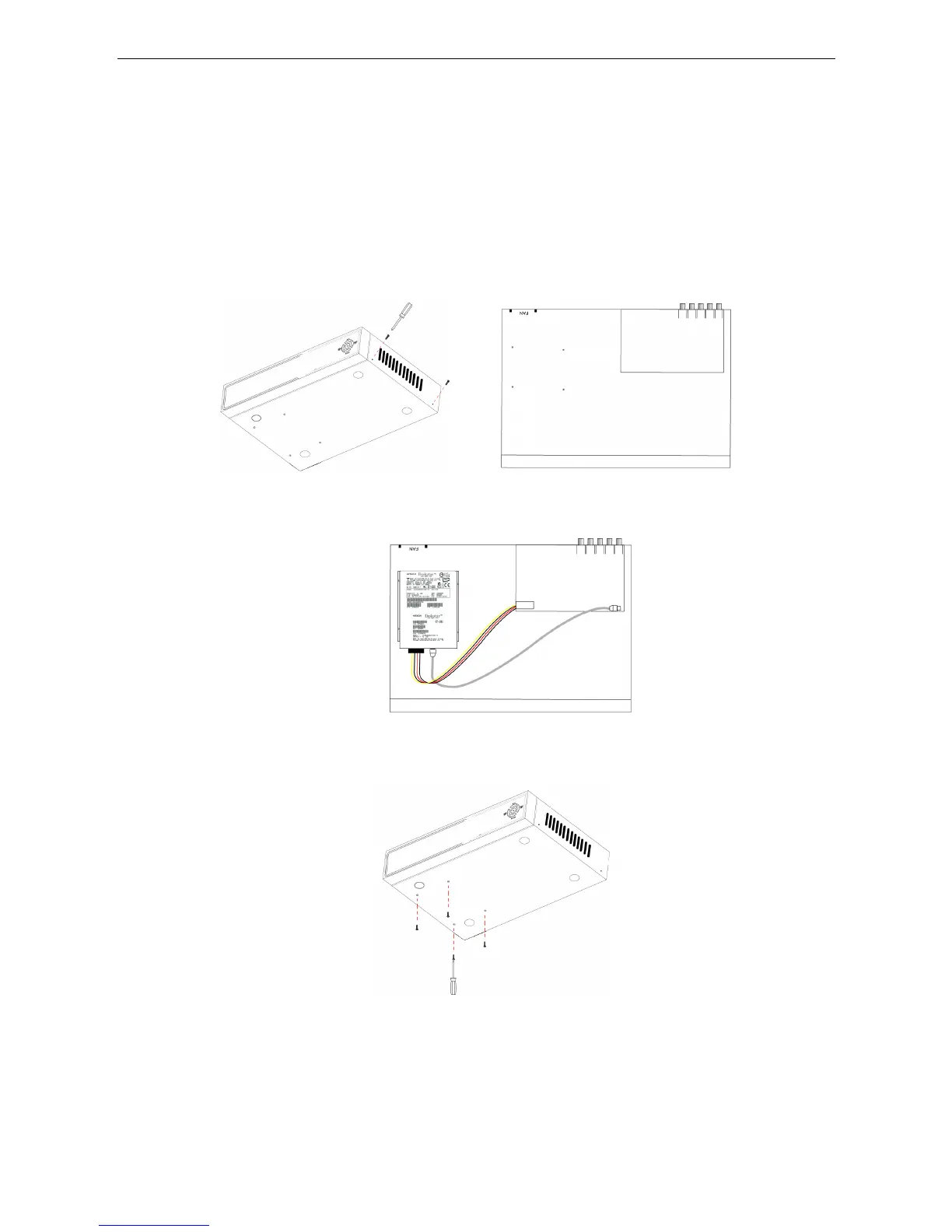
4.2 HDD INSTALLATION
Caution: When working with electrostatic sensitive devices such as Hard Disks or the DVR unit, make
sure you use a static-free workstation. Any electrostatic charge coming into contact with the Hard Disk or
DVR can damage it permanently.
Please install the HDD using the following steps:
1)Open the cover of the DVR and then you will see one HDD plate as follow.
2)Connect HDD line as follow
3)Affix HDD on HDD plate as indicated below with the screws shown.
4)Install the HDD plate back into DVR and close cover.
Notice: Newly installed HDD should be formatted using the Format option within HDD
Management on the system menu before recording.
35


 To Next Page