Mouse move
1. Press the left button to move the mouse, this can adjust the parameter on the volume,
color interface. And the corresponding parameter will be displayed at the same time.
2. In the Motion Detection setting interface, you can use the left button to drag the frame
to set the motion detection area.
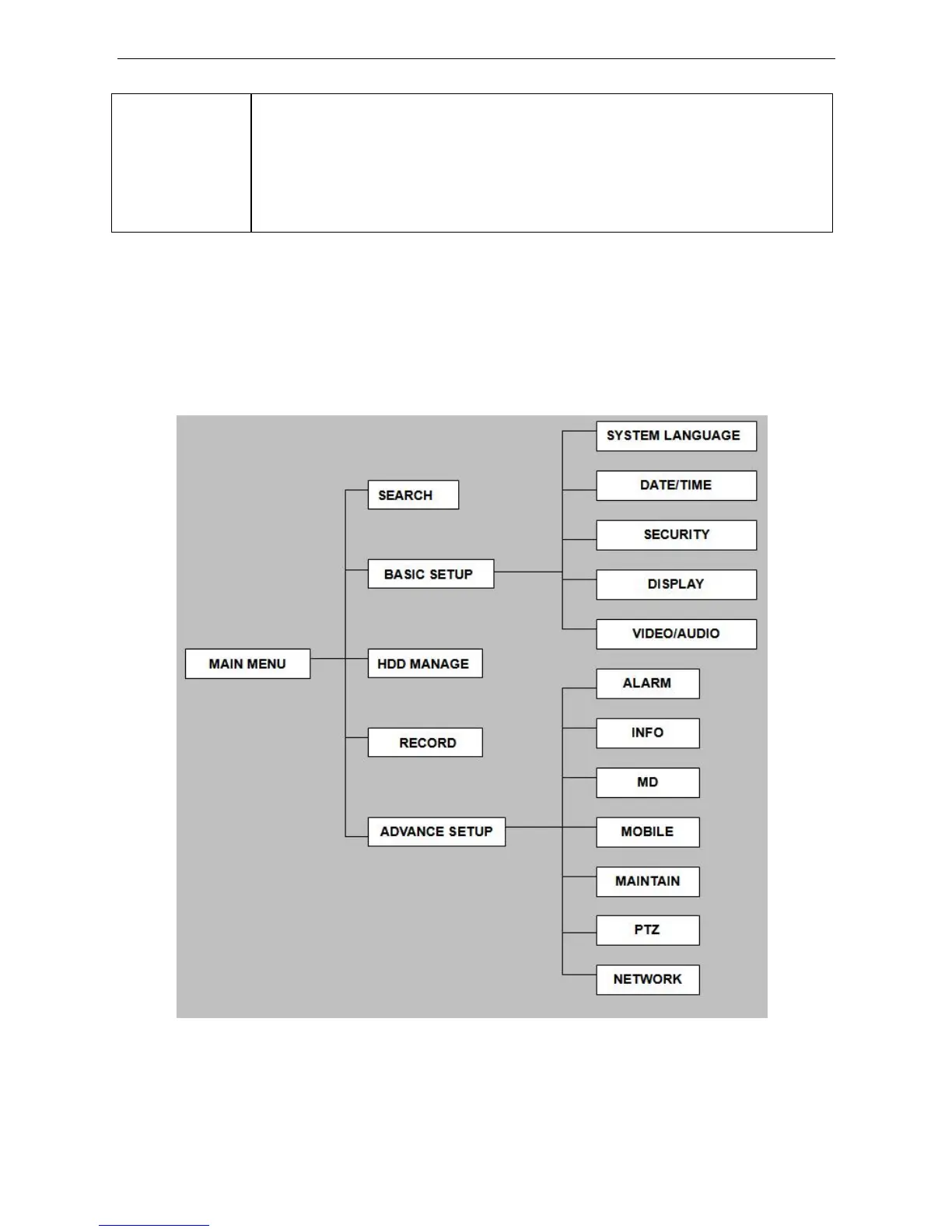
2.1.3 MENU TREE
You can control all the functionality of the DVR using the operating menu. The following tree diagram
shows the menu structure and more details about menu options will be shown in next chapter.
7


 To Next Page