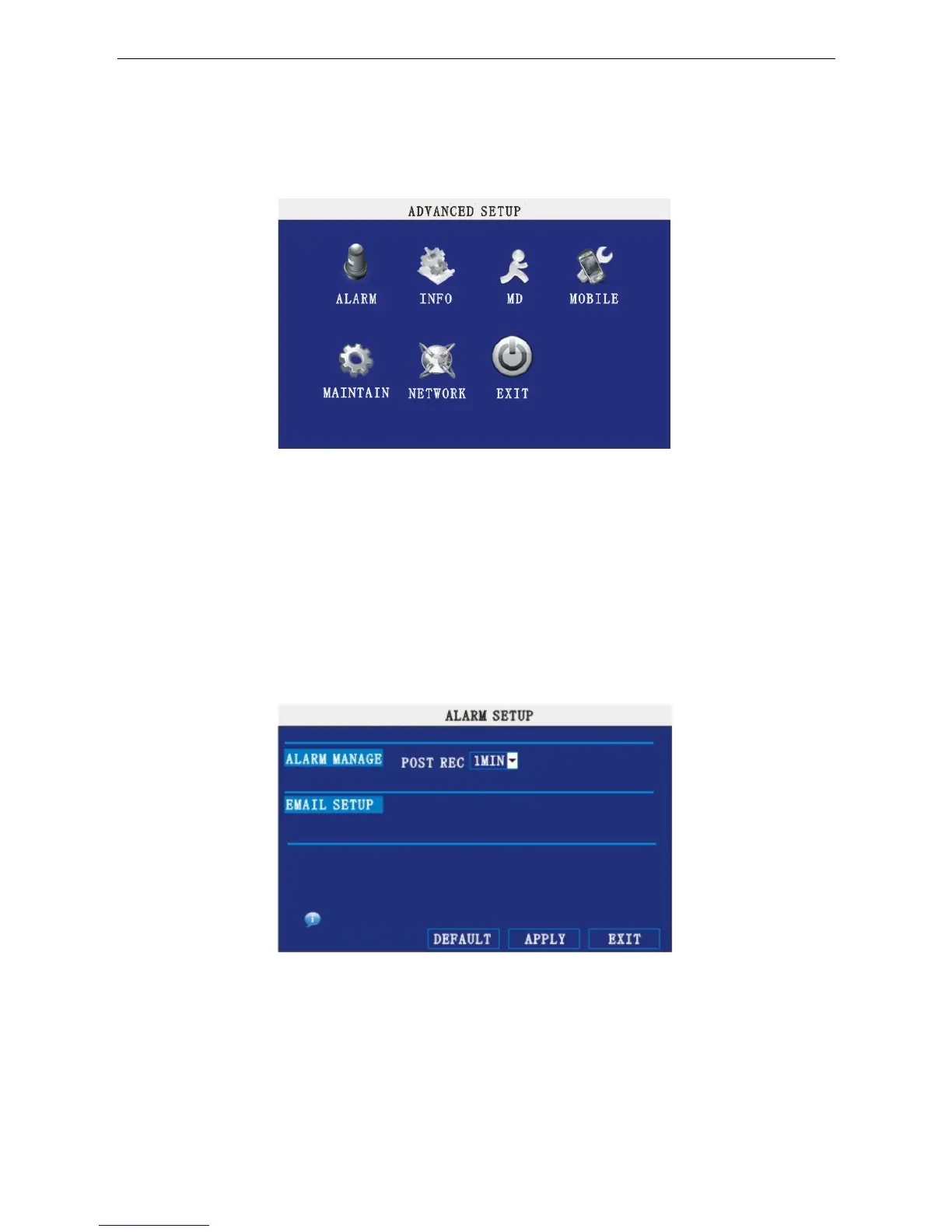
11. ADVANCE SETUP
Move the cursor to 【ADVANCE SETUP】 (Icon highlighted when selected), press 【Enter】 to enter into
Advanced Setup. Picture is below:
Advanced Functions include Alarm settings, System information, Motion detection, Mobile phone
monitoring, System maintenance, PTZ and Network settings.
12. ALARM SETUP
Move the cursor to 【ALARM SETUP】 (Icon highlighted when selected), press 【Enter】 to access the
settings interface.
ALARM MANAGE:
POST REC.:Post recording time setup: 30 seconds, 1 minute, 2 minutes and 5 minutes.
17


 To Next Page