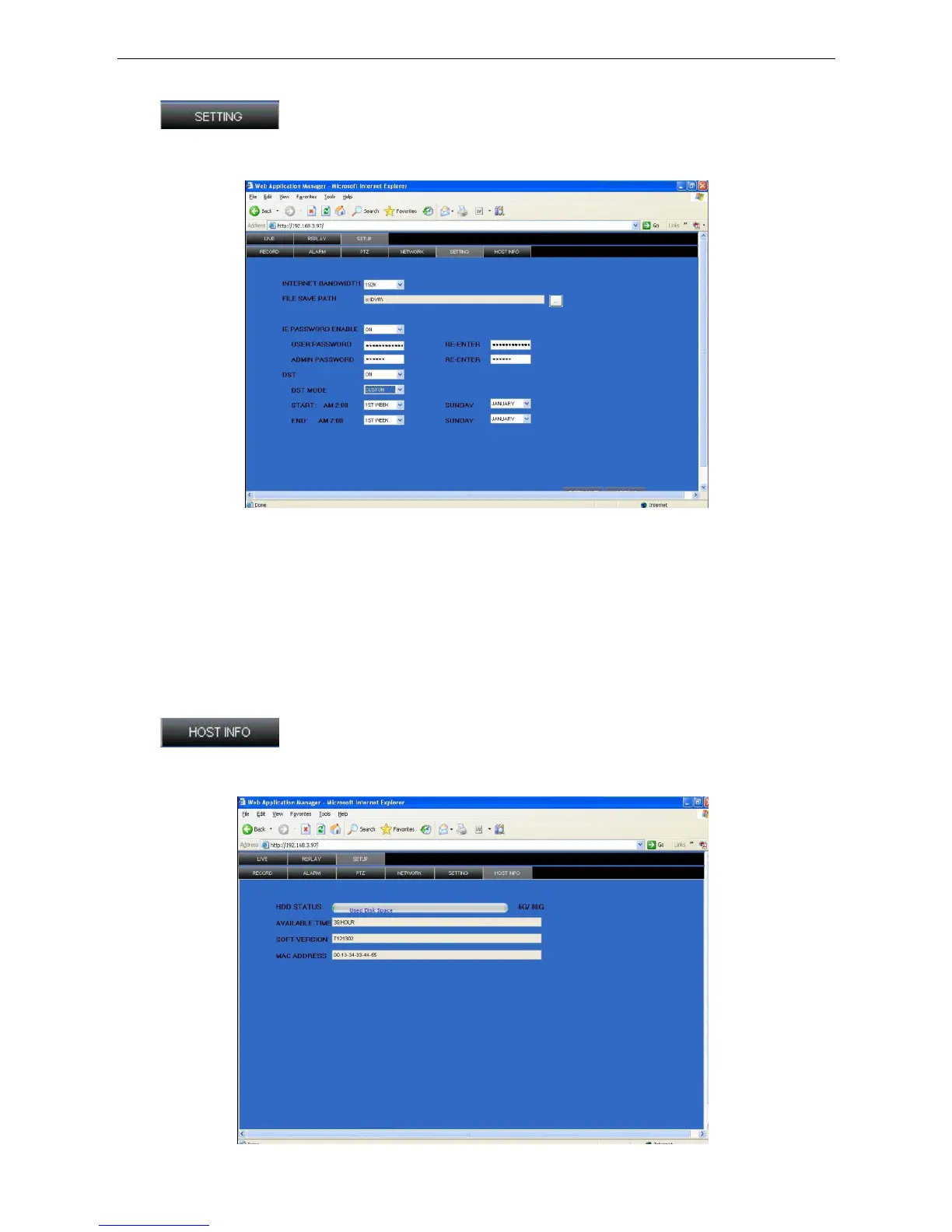
3.3.3.4 SETTING
Click
to access the setup interface; you can check and change the parameter settings
in the same way as using the User Interface of the DVR.
BANDWIDTH: Set the bandwidth in kbps (128k, 192k, 256k, 384k, 512k,1024k) that you want to allocate
for traffic over the Internet. This bandwidth does not include audio.
FILE SAVE PATH: The save path of captured picture and recording video. IE login password and DST
settings, which can be set the same as the DVR settings.
3.3.3.5 HOST INFO
Click
to access the system information interface (see picture below). This interface
includes HDD status, remain record time, firmware version and MAC Address. All the information is fixed.
31


 To Next Page