Explorer MX-HD Install and Setup Guide
12
700-0159
R003
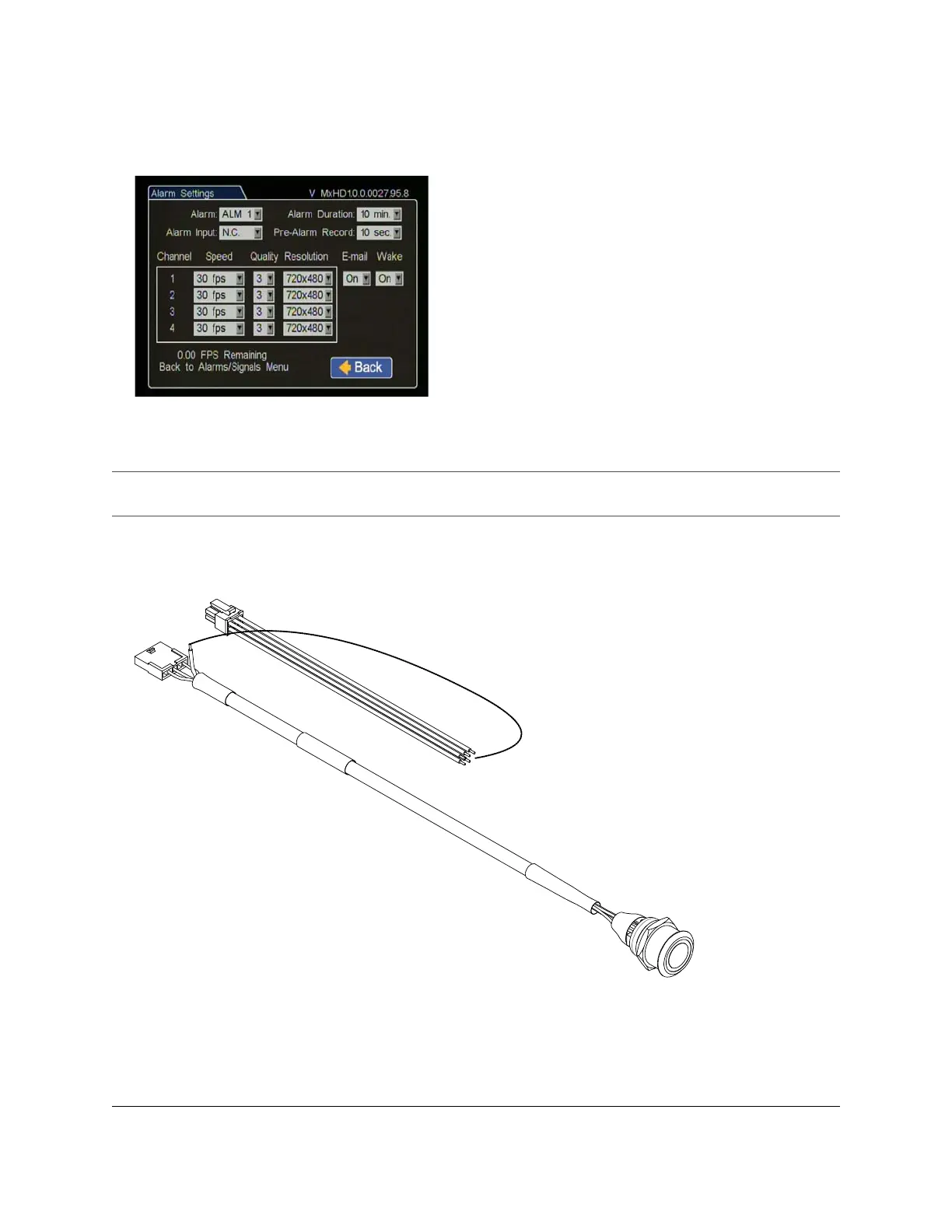
To wire the Wake on Alarm feature with a Diagnostic Button:
1 On the Diagnostic Button cable, cut the green wire just before it enters the socket. See Figure 7.
2 Extend and connect the green wire to an input wire on the Signal harness.
3 Configure the DVR Alarm settings as described above.
Figure 6
Configuring Alarm 1 for Wake on Alarm
Important: If you are using the Diagnostic Button and cable, and require the Wake on Alarm feature, the
Diagnostic Button cable must be rewired as shown in Figure 7.
Figure 7
Wiring the Alarm Button and Signal harnesses for the Wake on Alarm



 To Next Page